
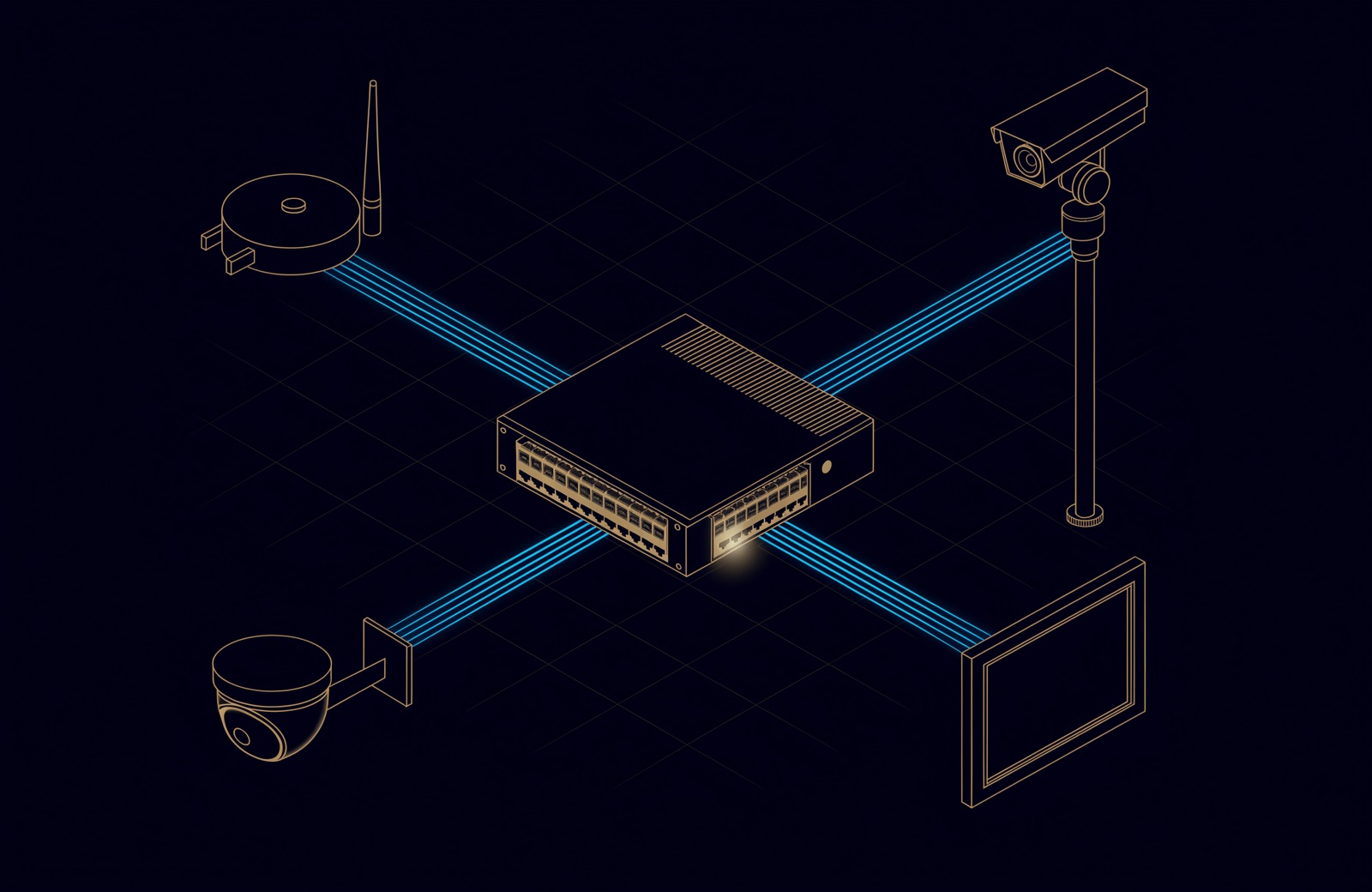
To calculate a PoE switch power budget, add up what each device's class reserves at the switch: 15.4 W for a Class 3 fixed camera, 60 W for a Class 6 Wi-Fi 7 access point. Check every port can supply its device's class and the total fits the budget of the supplies fitted, then size the UPS from input watts.
Datasheet wattages are lower than class reservations, so a budget built from them looks generous on paper and can leave devices unpowered when everything starts at once. This part of our structured cabling guide covers the classes, named devices, switches from Huawei, Ruijie, Cisco and Netgear, a worked 48-port example and UPS sizing.
PoE classes: what the switch reserves and what the device receives
Every class carries two figures: the power the switch (the power sourcing equipment, PSE) must supply at its port, and the smaller power guaranteed at the device (the powered device, PD) after the worst-case loss in the cable. The class the switch assigns is the power it sets aside for that device and also the device's limit, as the Ethernet Alliance's overview of 802.3bt explains. The classes came in 802.3af (2003), 802.3at (2009) and 802.3bt (2018), all now inside IEEE 802.3-2022, which superseded the separate 802.3bt-2018.
| Class | PoE type (IEEE amendment) | Reserved at the switch port (W) | Available at the device (W) | Pairs carrying power |
|---|---|---|---|---|
| 1 | Type 1 (802.3af) | 4 | 3.84 | 2 (2 or 4 from an 802.3bt switch) |
| 2 | Type 1 (802.3af) | 7 | 6.49 | 2 (2 or 4 from an 802.3bt switch) |
| 3 (and Class 0) | Type 1 (802.3af) | 15.4 | 13 | 2 (2 or 4 from an 802.3bt switch) |
| 4 | Type 2 (802.3at) | 30 | 25.5 | 2 (2 or 4 from an 802.3bt switch) |
| 5 | Type 3 (802.3bt) | 45 | 40 | 4 |
| 6 | Type 3 (802.3bt) | 60 | 51 | 4 |
| 7 | Type 4 (802.3bt) | 75 | 62 | 4 |
| 8 | Type 4 (802.3bt) | 90 | 71.3 | 4 |
A device signalling Class 0 gets the same 15.4 W as Class 3. From Class 5 up, power always uses all four pairs, which the Ethernet Alliance notes halves the cable loss. What a class means for cable choice is covered in our Cat6 or Cat6A guide.
How many watts does a PoE camera use?
Hikvision's DS-2CD2143G2-I, a 4 MP fixed dome, draws at most 6.5 W; the two Hikvision PTZ models below draw up to 18 W and 48 W; and Cisco's CW9178I Wi-Fi 7 access point draws up to 47 W. The switch sets aside more than any of them because it reserves by class, and other models differ, so take each figure from that model's datasheet.
| Device | PoE it asks for (datasheet) | Switch reserves (W) | Device maximum (W) |
|---|---|---|---|
| Hikvision DS-2CD2143G2-I, 4 MP fixed dome | 802.3af, Class 3 | 15.4 | 6.5 |
| Hikvision DS-2DE4425IW-DE(T5), 4 MP 25x PTZ | 802.3at | 30 | 18 (stated for 12 V DC; includes 9 W infrared, 1.6 W heater) |
| Hikvision DS-2DE7A432IWG1-E, 4 MP 32x PTZ | 802.3bt Type 3, Class 6 | 60 | 48 (stated with 36 V DC; includes 9 W infrared, 2 W heater) |
| Cisco CW9178I, Wi-Fi 7 access point | 802.3bt Class 6 for full operation | 60 | 47 (typical 25.7) |
| Netgear WBE758, Wi-Fi 7 access point | 802.3bt, listed as a 60 W PoE++ device | 60 | 39 |
| Cisco Room Navigator for Table, meeting room panel | 802.3af, Class 0 | 15.4 | about 8 (Cisco's 2023 measurement at the power outlet, in call or idle; the data sheet gives no maximum) |
The fixed camera reserves 15.4 W to draw 6.5 W, so on a camera switch the class fills the budget, not the camera. The PTZ maximums include infrared and heater, so plan on the maximum, not the daytime draw. Access points on a smaller port run in a reduced mode: Cisco's CW9178I on 802.3at draws up to 25.5 W but, in its quad-radio mode, drops from 4x4 to 2x2 radios and from 10 to 2.5 Gbps ports; Netgear says the WBE758 on 802.3at loses 50% of its maximum throughput at 2.4 GHz and 25% at 5 and 6 GHz.
AV endpoints span the whole range: Netgear builds its M4250 AV switches for AV-over-IP endpoints of 15.4 to 90 W, while Cisco measured its Room Navigator panel at about 8 W. Camera selection and bandwidth are covered in the CCTV system guide and in when CCTV becomes a network problem.
Three numbers per device, and the one the switch counts
At power-up the switch counts the class reservation; negotiation or measurement can lower it later. For Cisco's CW9178I the three numbers are 60 W reserved, 47 W maximum and 25.7 W typical over a business week. The methods:
- By class, at power-up. In the default "auto" mode described in Cisco's Catalyst 9300 PoE guide, power is granted while the budget lasts; the device that would exceed it is refused, a syslog message is raised and the switch rechecks later.
- By negotiation, after power-up. Over LLDP a running device can lower its request, for example a Class 6 device cutting 51 W to 43 W in the Ethernet Alliance's example. Devices of Class 4 and above must support this; switches may.
- By measurement. 802.3bt's optional Autoclass lets the switch measure the device at maximum draw and allocate to that.
Plan on the class. After a power cut every device starts at once, and Cisco's guide warns that when there is not enough PoE "it cannot be determined which devices are granted or are denied power".
PoE switch power budget: the total vs what each port can deliver
A PoE switch has two limits: what each port can deliver, and the total all ports share, which depends on the power supplies installed.
| 48-port switch | Per-port maximum (W) | PoE budget (W) | What sets the budget |
|---|---|---|---|
| Ruijie RG-NBS3200-48GT4XS-P-V2 | 30 (PoE+) | 370 | As listed by Ruijie |
| Huawei S5735-L48P4XE-A-V2 | 30 (PoE+) | 846 at 220 V input (756 at 110 V) | One 1000 W PoE power module; no redundancy |
| Cisco Catalyst C9300-48UXM | 60 (Cisco UPOE; Class 6 for 802.3bt devices once 802.3bt mode is enabled) | 490; 1,205; 1,590 | 1100 W supply alone; plus 715 W; plus a second 1100 W |
| Netgear M4350-44M4X4V | 90 (PoE++) | 194; 714; 2,994 | Internal supply alone; two 920 W modules, 1+1 redundant; two 2000 W modules |
Per port, the Ruijie and Huawei stop at 30 W, so a Class 6 PTZ camera or a full-power Wi-Fi 7 access point gets at most 802.3at power there. In total, 48 ports at 30 W would need 1,440 W: Huawei's hardware description says its 846 W covers all 48 ports at 15.4 W (739.2 W) but only 28 at 30 W (840 W; 29 ports would need 870 W), and Ruijie's 370 W covers 24 ports at 15.4 W or 12 at 30 W.
The supplies matter as much as the model. The Catalyst 9300 data sheet gives 490 W on the default supply and 1,590 W with a second. Netgear's 220 V reference guide gives 194 W to 2,994 W for one model, and the same two 2000 W modules give 1,440 W when run as 1+1 redundant: extra supplies buy capacity or redundancy, not both at full value.
A worked example: one 48-port switch for cameras and Wi-Fi 7
Take 38 Hikvision DS-2CD2143G2-I fixed cameras, two Hikvision DS-2DE7A432IWG1-E PTZ cameras and eight Cisco CW9178I access points from the table above on one Cisco Catalyst C9300-48UXM, a 48-port UPOE switch whose ports can each supply 60 W, with 12 ports at up to 10 Gbps for the access points.
| Device | Quantity | Class | Reserved each (W) | Reserved total (W) | Maximum each (W) | Maximum total (W) |
|---|---|---|---|---|---|---|
| Fixed dome camera | 38 | 3 | 15.4 | 585.2 | 6.5 | 247.0 |
| PTZ camera | 2 | 6 | 60 | 120.0 | 48 | 96.0 |
| Wi-Fi 7 access point | 8 | 6 | 60 | 480.0 | 47 | 376.0 |
| Total | 48 | 1,185.2 | 719.0 |
- Per port. Ten devices need Class 6. Every port on this model can supply it once 802.3bt mode is on: Cisco's guide says the Catalyst 9300 UPOE models that support 802.3bt, the C9300-48UXM among them, ship in 802.3at mode, and enabling 802.3bt mode (
hw-module switch 1 upoe-plusfor switch 1) power-cycles the switch, so set it before commissioning. On a 30 W switch no port could supply Class 6. - Total. Reservations come to 1,185.2 W. The default 1100 W supply gives 490 W, about 41% of that, so more than half the reserved power, 695.2 W, would be refused. Adding a 715 W supply gives 1,205 W: it fits, with 19.8 W to spare. Two 1100 W supplies give 1,590 W and leave 404.8 W, about a quarter, for growth.
- Failure. If one of two 1100 W supplies fails, the budget falls back to 490 W. Cisco's guide recommends static mode for high-priority ports, which are allocated before auto ports: put the cameras that must stay on there, within the 490 W, and cap each port at its device's class (for example
power inline static max 15400for a Class 3 camera), because a static port with no maximum preallocates the port's full wattage, up to 60 W here, even with nothing connected. - Reality check. The devices can draw 719 W at most at their own ports; the switch also supplies the loss in each cable (up to 2.4 W per Class 3 run and 9 W per Class 6 run), so much of the remaining 466.2 W is reservation, not consumption. That is why the UPS is sized from what the switch draws.
Cable heat in bundles, and why it favours Cat6A
The gap between the two power columns of the class table is power lost in the cable, up to 9 W per cable at Class 6 and 18.7 W at Class 8, and in a bundle it becomes heat; how TIA's TSB-184-A guidance relates bundle size to temperature rise is covered in our Cat6 or Cat6A guide.
The UAE's TDRA buildings manual lets designers "future-proof designs by providing category 6A cabling, which supports higher data rates and provides support for newer power-over-ethernet (PoE) standards that are typically used for video surveillance camera and wireless local area network access points". For the copper cabling from the consolidation cabinet in each tenant space to the building outlets (section 5.10), it also requires cable lengths to be "de-rated where required due to local temperature conditions and cable specifications" so the channel stays error-free up to 1 Gbps on Cat6 and 10 Gbps on Cat6A. In the worked example, the ten Class 6 runs are the ones to put on Cat6A and keep out of the largest bundles. Why aluminium-cored cable makes the heat worse is in how to choose copper network cable.
Sizing the UPS for PoE switches
Size the UPS from the power the switch takes from the wall, not from its PoE budget: the switch's own electronics and supply losses come on top.
| Switch | Input, no PoE load (W) | PoE at full load (W) | Input at full PoE load (W) | Input per watt of PoE |
|---|---|---|---|---|
| Huawei S5735-L48P4XE-A-V2 | 76.66 | 846 | 993.74 | 1.17 |
| Netgear M4250-40G8XF-PoE+ | 89.2 | 960 | 1,197 | 1.25 |
At full load these switches take 17% and 25% more than they deliver: the Huawei takes 993.74 W to deliver 846 W, so 147.74 W goes on the switch itself and its supply losses. The figures are from Huawei's hardware description and Netgear's M4250 data sheet. Then:
- Take each switch's input at the PoE load you designed for: the full-load figure if you use the whole budget, otherwise the maker's figures or a measurement after commissioning (the Catalyst 9300 senses the power each port actually draws).
- Add recorders, core switch and firewall on the same UPS.
- Check the total against the UPS's watt rating, not only its VA. As Schneider Electric explains, neither rating may be exceeded, VA is always equal to or larger than watts, and the ratio is the power factor, such as 0.8 or 0.9.
- Read runtime from the maker's table at that load, against a target agreed with the client: until the generator takes over, or an orderly shutdown.
Two Huawei switches at full PoE load take 1,987.5 W. A 3,000 VA UPS delivers 2,400 W at a power factor of 0.8, or 2,700 W at 0.9: 83% or 74% loaded before anything else is plugged in.
How UBM handles it
We draw up a PoE schedule for each switch before ordering: every port, its device, the class reservation and datasheet maximum, and totals against the budget for the supplies proposed. Per-port capability is checked first; supplies are then chosen so the budget covers the reservations with room to grow, and the client agrees which ports are high priority. High-power runs go on Cat6A, and the UPS is sized from the switches' input watts plus the rest of the rack. At commissioning we record the power each port actually draws in the handover pack. The switching and cabling side is on our network and structured cabling page; to have a PoE budget or switch quotation checked, talk to a UBM engineer.
Questions people ask
How do I calculate the PoE budget for a switch?
Add the class reservation of every device (15.4 W for Class 3, 30 W for Class 4, 60 W for Class 6, 90 W for Class 8), check each port can supply its device's class, and compare the total with the switch's budget for the supplies fitted. Keep headroom, and size the UPS from input watts.
How many watts does a PoE camera use?
A 4 MP fixed dome such as Hikvision's DS-2CD2143G2-I draws up to 6.5 W and reserves 15.4 W as Class 3. PTZ cameras draw far more: 18 W and 48 W at most for the two Hikvision models above.
How much power does a Wi-Fi 7 access point need?
Up to 47 W for Cisco's CW9178I on 802.3bt Class 6, with 60 W reserved, and 39 W for Netgear's WBE758. Both also run on 802.3at, with fewer spatial streams and slower ports on the Cisco and lower throughput on the Netgear.
Is there a PoE budget calculator?
A spreadsheet does the job: one row per device with its class reservation and datasheet maximum, a total per switch, and a comparison with the budget for each power supply option, as in the worked example.
What happens when a PoE switch runs out of budget?
The next device is refused power. On a Cisco Catalyst 9300 the port stays off, a syslog message is raised and the switch keeps rechecking; when many devices start at once, which are refused cannot be predicted.
Can a PoE+ switch power an 802.3bt device?
At lower power. PoE equipment interoperates, but a high-power device does not get its full power from a lower-power switch. Some run in a reduced mode; some need a minimum: Netgear's WBE758 works on 802.3at but not 802.3af.
Sources
- IEEE 802.3-2022, IEEE Standard for Ethernet (IEEE, 2022)
- IEEE 802.3bt-2018, Power over Ethernet over 4 pairs (IEEE, 2018; superseded by IEEE 802.3-2022)
- Overview of 802.3bt, Power over Ethernet standard (Ethernet Alliance, 2019)
- Interface and Hardware Components Configuration Guide, Cisco IOS XE 17.15.x (Catalyst 9300 Switches): Configuring Power over Ethernet (Cisco, 2024)
- Cisco Catalyst 9300 Series Switches Data Sheet (Cisco, updated 2026)
- Cisco Wireless 9178 Series Access Points Data Sheet (Cisco, updated 2026)
- Cisco Room Navigator for Table Data Sheet (Cisco, updated 2026)
- Power consumption on Cisco Video Collaboration Devices (Cisco, 2023)
- DS-2CD2143G2-I 4 MP AcuSense Fixed Dome Network Camera, datasheet (Hikvision, 2026)
- DS-2DE4425IW-DE(T5) 4 MP 25x Network IR Speed Dome, datasheet V5.7.0 (Hikvision, 2022)
- DS-2DE7A432IWG1-E 4 MP 32x Network Speed Dome, datasheet (Hikvision, 2026)
- WBE758 Insight Manageable WiFi 7 Access Point, data sheet (NETGEAR, 2024)
- AV Line Managed Switches M4250 Series, datasheet (NETGEAR, 2026)
- AV Product Reference Guide (220V) (NETGEAR, 2026)
- S5735-L48P4XE-A-V2, CloudEngine S5700 Series Switches Hardware Description (V600) (Huawei, updated 2026)
- RG-NBS3200-48GT4XS-P-V2 specifications (Ruijie Networks, accessed 2026)
- Buildings Telecommunications Network Specification Manual: Guidelines for FTTx in new Buildings, V3.0 (TDRA, 2024)
- VA vs watts: What's the difference anyway? (Schneider Electric, 2015)
Comments
Questions and experience from readers. A person reads every comment before it appears.
No comments yet. If something here does not match what you have seen on site, say so.