
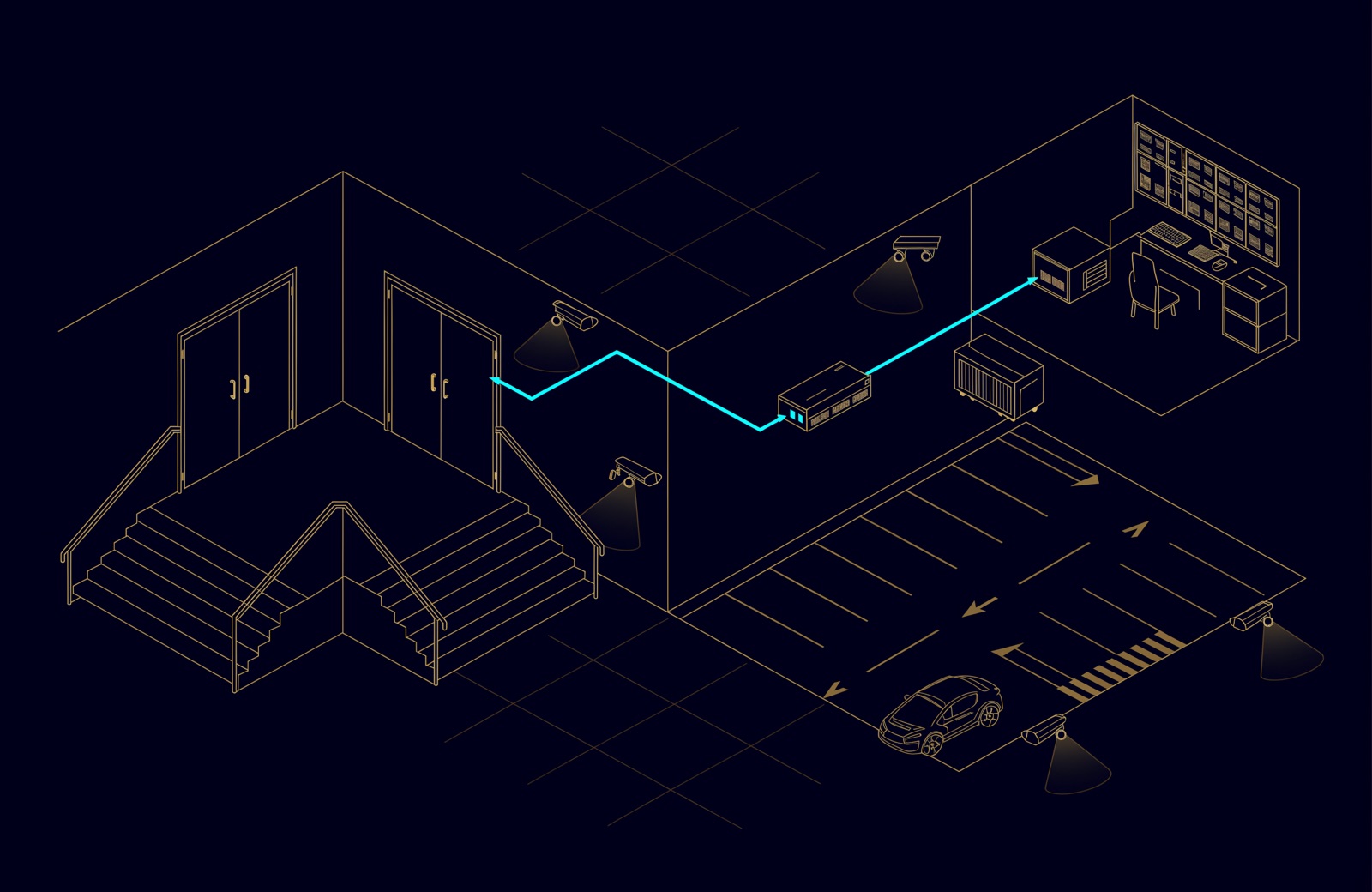
A CCTV system for business is fixed IP cameras, PoE switches on a dedicated network, a recorder or video management system, storage for the retention period (at least 30 days under the UAE's 2026 National Manual), backup power and screens, installed by a licensed company. In Abu Dhabi, approval steps come from the Monitoring and Control Centre (MCC).
This guide follows the documents published at the time of writing, October 2026. Rules differ by site category, so treat these figures as the start of a conversation with the authority. MCC's Regulations section now lists version 3.0 (dated 22 September 2026) and no longer lists the earlier Manual of Surveillance Devices, version 2.0, so check which version any checklist you are given quotes.
What is a CCTV system?
CCTV (closed-circuit television) is a camera system whose video goes only to one organisation's recorders and screens. In a business today it is an IP system: every camera is a network device that streams compressed video over the building's cabling to a recorder, which keeps it for a set number of days.
For regulated sites, the National Manual for Surveillance Systems, version 3.0 (2026), narrows the choice: only fixed IP cameras, at no less than 1920 x 1080 pixels, and no pan-tilt-zoom (PTZ) cameras without prior approval, except in listed cases such as stadium seating. On a building project, CCTV usually sits in the low current package; our guide to ELV systems in UAE buildings explains that package.
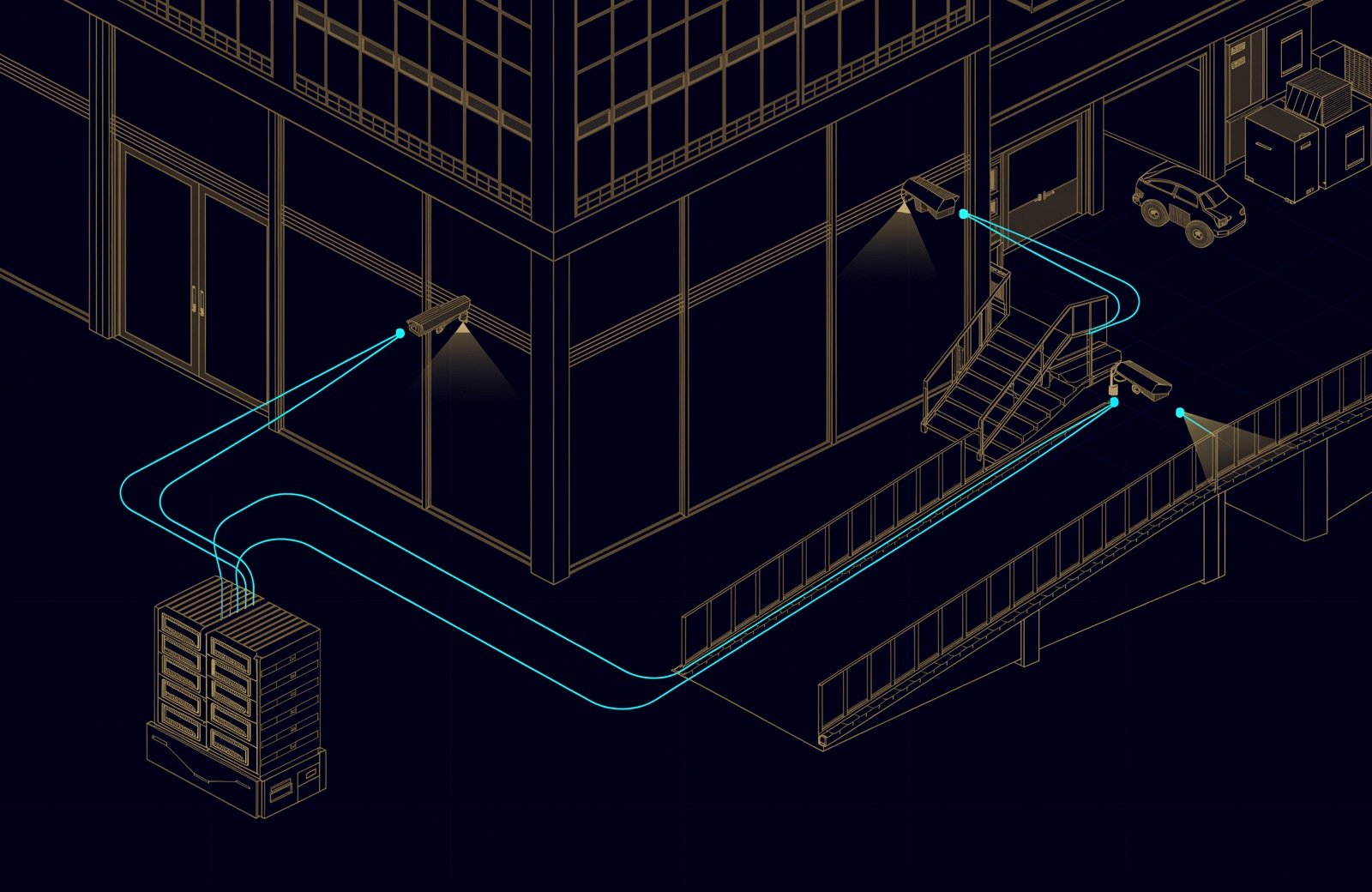
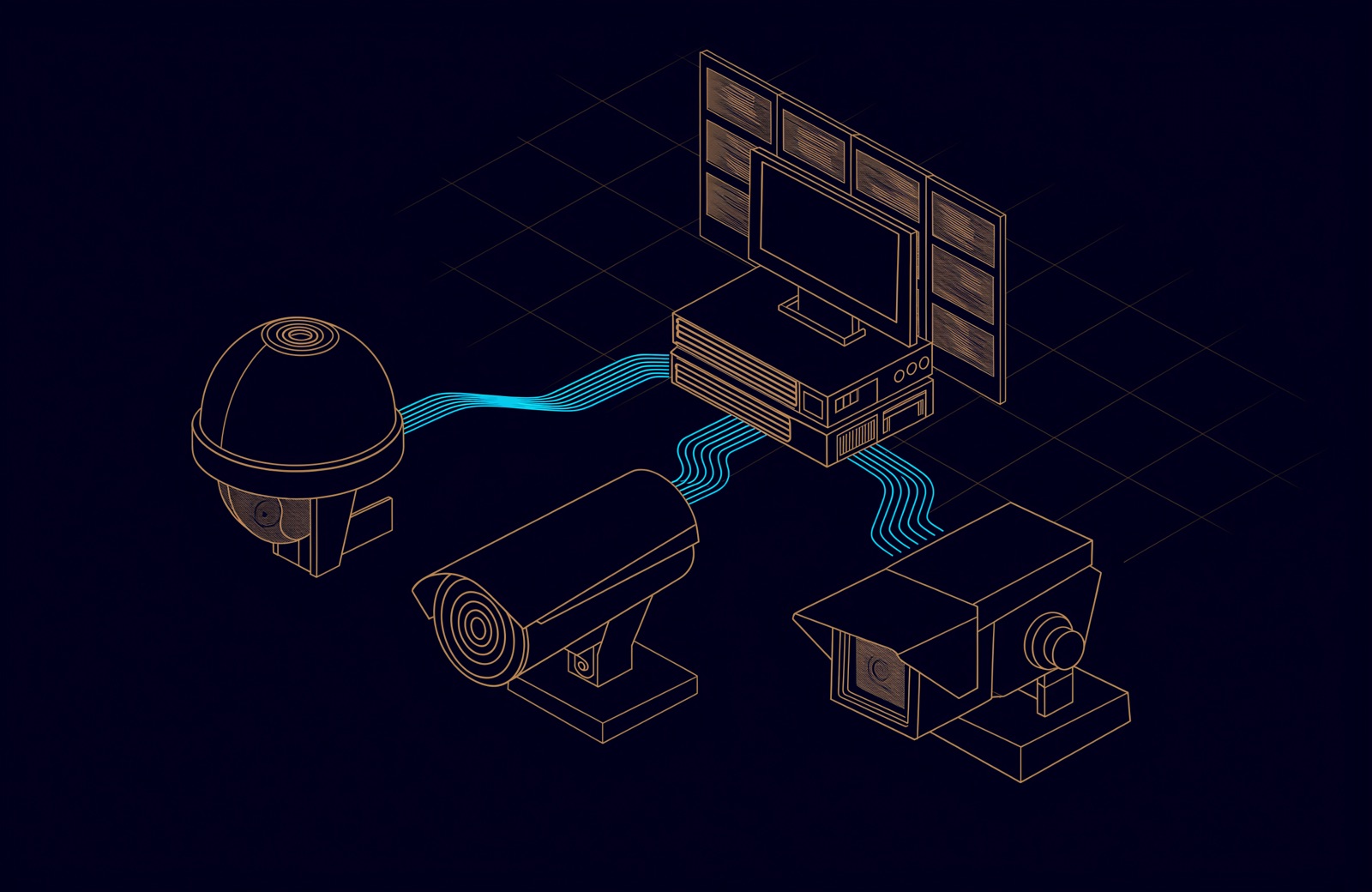
CCTV system components: what a business system is made of
Six components, each with minimums in the 2026 manual. The manual sorts site categories into Group A and Group B; Group B (museums, transport and ports, hotels, shopping malls, banks, and data storage and video recording centres) carries the stricter requirements.
| Component | What it does | What the 2026 National Manual asks for |
|---|---|---|
| Cameras | Capture each area at the detail it needs | Fixed IP, at least 1920 x 1080, IR matched to the view distance, 110 dB WDR (or an alternative technology) for scenes with bright and dark parts, IP66 outdoors, H.264 or newer, dual streams, ONVIF Profile S or an approved alternative |
| Network switches | Carry the video, and usually power cameras over PoE | A dedicated, isolated network, MAC address filtering, unused ports disabled, SNMP v3 only |
| Recorder (NVR) or VMS | Records, plays back and exports video | Approved by the concerned authorities; resumes recording on its own after a power cut |
| Storage | Keeps footage for the retention period | Retention plus at least 20% spare; Group B adds RAID 5 or better, enterprise 7,200 rpm drives and 30 days of failover storage |
| Backup power | Keeps the system running through an outage | A UPS of at least 30 minutes for the monitoring and control system |
| Screens and control room | Live view and incident handling | Screens of at least 21 inches built for 24/7 use; a control room where the category requires one |
One detail to watch: the manual names ONVIF Profile S, but ONVIF announced in October 2025 that it is ending support for Profile S, whose authentication no longer matches current cybersecurity recommendations, and recommends Profile T. Deployed Profile S systems keep working. ONVIF's June 2026 conformance test tools, valid for nine months, are the last that let manufacturers claim Profile S conformance, and under the manual an alternative to Profile S needs the authority's approval. Ask for cameras that conform to both.
Which coverage level does each area need?
The manual sets coverage by area, not by camera count. Each mandatory area has a level, and each level a minimum pixel density and frame rate.
| Coverage level | What the operator can do | Areas the manual lists (examples) | Minimum density (px/m) | Minimum frame rate (fps) |
|---|---|---|---|---|
| Identification | Establish who a person is | Entrances and exits, emergency exits, cash points, control rooms | 500 at entrances | 25 |
| Recognition | Tell one person from another | Lobbies and reception, corridors, lifts and stairs, loading areas, kitchens | 125 | 12 |
| Observation | Follow activity and events | Building perimeter, ramp entries and exits, assembly areas | 63.5 | 12 |
| Detection | See movement and general appearance | Landscape and parking areas | 30 | 12 |
| Vehicle view and plate reading | Read the plate's number, source, code, colour and category | Vehicle entrances and exits | 500 | 25 |
A level can also be met by target size on the monitor: a face at least 120% of the display for identification, a whole body at least 50% for recognition, 25% for observation and 10% for detection.
Choosing lenses: pixels per metre, not megapixels
Pixel density is the image's horizontal pixel count divided by the width of the scene at the target. A 1920-pixel image across 3.84 m gives 500 px/m, enough for identification at an entrance. Across 15 m it gives 128 px/m (recognition), across 30 m 64 px/m (observation), and across 64 m only 30 px/m (detection).
So the lens decides what a camera can do. The manual requires a motorised varifocal lens on every identification camera and on any camera mounted 4 m or higher, so the scene width can be set on site, and it requires the entity operating the site to light every covered area well enough for the cameras to reach their levels. The same manual also says that cameras shall not have zoom features, so confirm with the authority how it reads that clause alongside the varifocal requirement before cameras are ordered.

NVR or video management system (VMS)?
An NVR (network video recorder) is an appliance that records a fixed number of cameras; a VMS is server software that manages many recorders, sites, users and integrations. The manual draws part of the line: a Group A site with more than two NVRs must manage them through a central management system, and a Group B site needs a VMS that supports multicast. Either way, the recording system must be approved by the concerned authorities, be capable of integrating with their systems through an API or SDK, and never run on an operating system its vendor no longer supports.
UBM supplies Hikvision and Dahua cameras and recorders, and Digifort video management for multi-site estates and sites that tie CCTV to access control and alarms.
How much storage does a CCTV system need?
Every camera's bitrate multiplied by the retention period, plus spare. The manual sets retention by category, and the concerned authorities may set durations, with 30 days as the minimum.
| Retention (days) | Example categories in the 2026 National Manual |
|---|---|
| 30 | Specified commercial stores, vehicle showrooms, cinemas, healthcare entities, parking buildings, holiday homes |
| 90 | Money exchangers, educational entities, residential compounds and commercial buildings, fuel stations, labour accommodation, museums |
| 180 | Hotels, shopping malls, banks, shooting ranges, data storage and video recording centres |
Gigabytes per day = cameras x average Mbps x 86,400 / 8 / 1,000. Multiply by the retention days, then size the array so footage fills no more than 80% of it, leaving the manual's 20% spare. For 20 cameras averaging 4 Mbps, that is 864 GB a day:
| Retention (days) | Footage (TB) | Usable capacity with 20% spare (TB) |
|---|---|---|
| 30 | 25.9 | 32.4 |
| 90 | 77.8 | 97.2 |
| 180 | 155.5 | 194.4 |
These are usable figures: RAID parity and, for Group B, 30 days of failover storage come on top. The 4 Mbps is only an example: bitrate varies with resolution, codec, scene and night-time noise, so measure it on site. Group A sites may record on motion with at least a 10-second pre-event buffer, but identification cameras record continuously; Group B sites record continuously around the clock. When storage reaches the retention period, the oldest footage is overwritten first.
The network underneath a CCTV system
The manual requires the surveillance network to be dedicated and isolated from any other network infrastructure, and hardened:
- MAC address filtering on every switch, unused ports disabled, SNMP v3 only.
- No exposure to the public internet, including cloud relay and vendor access, without prior approval; remote maintenance off by default.
- Time from an approved NTP source, set to UAE time (UTC+4), on every device.
- Named accounts with role-based access, passwords of at least 11 characters, lockout after more than five failed logins.
Two engineering checks sit beside the rules: each switch's PoE budget must cover every camera at full draw, heaters and IR included (the PoE classes are in our ELV guide). Uplinks are sized for the incident peak, not the quiet average, as we explain in when CCTV becomes a network problem.
CCTV approvals in Abu Dhabi, Dubai and the other emirates
The 2026 National Manual lists its concerned authorities as Abu Dhabi Police, SIRA in Dubai and the police general headquarters of the five northern emirates; in Abu Dhabi, the approval steps come from MCC, which publishes the manual.
| Emirate | Authority | Document to read first | What to confirm |
|---|---|---|---|
| Abu Dhabi | Monitoring and Control Centre (MCC); Abu Dhabi Police is listed as a concerned authority | National Manual for Surveillance Systems, v3.0 (2026) | The site's category, the approval steps, the installer's licence and classification |
| Dubai | Security Industry Regulatory Agency (SIRA) | Preventive Systems Manual (2025); SIRA is also listed on the National Manual | Which manual and retention period apply |
| Sharjah, Ajman, Umm Al Quwain, Ras Al Khaimah, Fujairah | Each emirate's police general headquarters, listed as concerned authorities | National Manual for Surveillance Systems, v3.0 (2026) | The approval route with the local police |
Abu Dhabi. MCC was established in 2011 under Abu Dhabi Law No. 5 of 2011, with executive regulations in 2015, and moved under the Supreme National Security Council in 2019. It describes itself as responsible for managing all activities related to monitoring and control devices in the country, including qualifying and licensing the companies that work in the field. The National Manual says a licensed entity must design, install, operate and maintain the system, and that no camera may be added or removed without prior approval. The approval steps themselves (what is submitted, when the site is inspected, what is issued) come from MCC: confirm them for your site before equipment is ordered.
A companion 2026 document, the National Classification for Entities Licensed in the Field of Surveillance Devices, grades licensed companies Special, First, Second or Third and limits which site categories each may serve. Ask any installer for its licence and classification.
Dubai. SIRA's Preventive Systems Manual, approved by Administrative Resolution No. 13 of 2025 under Law No. 12 of 2016, sets colour cameras of at least 1080p, recording kept at least 31 days at 10 fps or more, 20% extra recorder capacity, and an annual maintenance contract with a SIRA-registered company. Some chapters require longer retention, such as 75 days for ATM cameras. As SIRA is also listed on the 2026 National Manual, confirm with SIRA which document applies to your site.
Privacy, signs and access to footage
The National Manual prohibits hidden cameras. Wireless cameras, audio recording, and views beyond the site boundary or into private areas need prior approval, and the system must support privacy masking. Signs must announce the cameras in Arabic, English and Urdu. Footage may only be extracted on an official letter from the competent or concerned authorities, and every extraction is logged.
Federal Decree-Law No. 45 of 2021 on personal data also applies to processing through electronic systems, so agree retention, access and sharing rules with your legal adviser. Abu Dhabi Police and MCC have asked residents to use licensed installers, never publish recorded footage, and respect neighbours' privacy.
Maintenance after handover
The manual requires an annual corrective and preventive maintenance contract with a company registered by the concerned authorities. Faults are reported and fixed within one working day, or the authority is told why not, and every visit is recorded. The site keeps as-built drawings, cable routes, network schematic and configuration record current, with each camera's field of view coloured by level: red for identification, green recognition, brown observation, blue detection.
How UBM handles it
UBM designs and installs IP CCTV as part of its security and network work, starting from a coverage plan drawn on the site plan: each area's level, the pixel density it needs, and the camera position and lens that achieve it. Storage is sized to the site's retention period with the required spare, and the camera network is designed with the rest of the network: PoE budgets per switch, uplinks sized for the peak, one time source. On a regulated site, the category, the licensed entity and the approval route are agreed with the client before anything is ordered, and handover includes the camera schedule, drawings and configuration record. See our CCTV and physical security work, or talk to a UBM engineer about your site.
Questions people ask
What are the main components of a CCTV system?
Cameras, network switches (usually PoE), a recorder (NVR) or video management system, storage, backup power, and screens or a control room. In the UAE, a licensed installer and the authority's approval complete a regulated system.
How long must CCTV footage be kept in the UAE?
It depends on the site's category: 30, 90 or 180 days in the 2026 National Manual, with 30 as the minimum. SIRA's 2025 manual for Dubai sets at least 31 days, longer in some chapters. Confirm the figure with your authority.
Do I need approval to install CCTV in Abu Dhabi?
For a site the National Manual covers, yes: a licensed entity designs and installs the system, and no camera may be added or removed without prior approval. The approval steps come from the Monitoring and Control Centre.
What resolution should a business CCTV camera have?
At least 1920 x 1080, but what matters is pixel density at the target: 500 px/m for identification at entrances, 125 for recognition, 63.5 for observation and 30 for detection.
Can business CCTV be viewed remotely or from the cloud?
Not without prior approval under the National Manual: devices may not be exposed to the public internet, cloud hosting and backup need approval, and remote maintenance is off by default.
Sources
- Monitoring and Control Centre: National Manual for Surveillance Systems, Version 3.0, and National Classification for Entities Licensed in the Field of Surveillance Devices, Version 1.0 (Regulations section), and About MCC (MCC, 2026)
- Abu Dhabi Regulation No. 5 of 2015, implementing Abu Dhabi Law No. 5 of 2011 on the Establishment of the Monitoring and Control Centre (2015)
- Administrative Resolution No. 13 of 2025 Approving the Preventive Systems Manual (Security Industry Regulatory Agency, Dubai, 2025)
- ONVIF to End Support for Profile S; Recommends Profile T as Replacement (ONVIF, 2025)
- Abu Dhabi Police and the Monitoring and Control Centre call on the public to follow home surveillance system controls (Abu Dhabi Police, 22 November 2024, in Arabic)
- Data protection laws, including Federal Decree-Law No. 45 of 2021 (UAE Government portal, 2026)
Comments
Questions and experience from readers. A person reads every comment before it appears.
No comments yet. If something here does not match what you have seen on site, say so.