
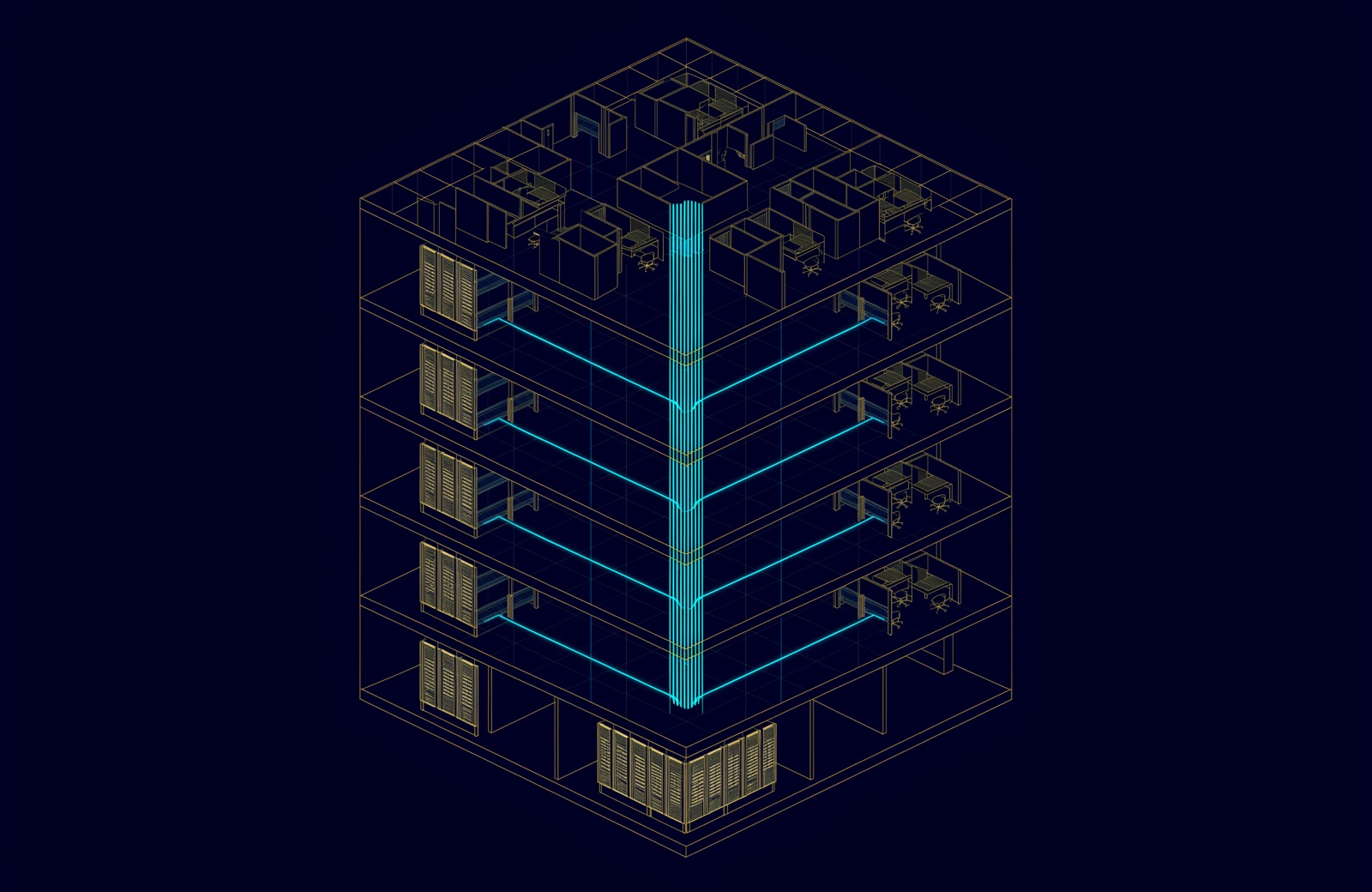
Structured cabling is a building's standardised copper and fibre network: cables, outlets, patch panels and equipment rooms, designed as one system rather than cable by cable. The TIA-568 standards describe six elements, often called subsystems, from the entrance facility to the work area, and cap a copper channel at 100 m, of which up to 90 m is fixed cable.
The international series, ISO/IEC 11801, calls it generic cabling: an application-independent system for voice, data and video that can also supply power, planned before anyone knows exactly what will plug into it. ISO/IEC 11801-2 expects a compliant system built from appropriate components to last at least ten years. Most of the ELV package, from Wi-Fi to cameras and door readers, now rides on it (see what is an ELV system).
What is meant by structured cabling?
It means cabling built to a fixed, standard layout instead of a cable pulled to each device as needed. Three things make it structured:
- A star hierarchy. Every outlet is cabled back on its own cable to a patch panel in a telecom room, and every telecom room back to a central equipment room. The UAE buildings manual described below states both rules for tenant copper: a star topology, and outlets that "shall not be cascaded or looped".
- Standard parts and limits. Categories, connectors and maximum lengths come from a published standard, so a link that meets its category supports the applications designed for it.
- Administration. Every cable, port and outlet has an identifier that reads the same on the drawing, the label and the test result.
The alternative, point-to-point cabling, runs a cable from each device straight to whatever it connects to. It works on the first day; every later move starts with tracing cables by hand.
The six subsystems of structured cabling
ANSI/TIA-568.1-E, the commercial building standard published in March 2020, describes six elements of a building's cabling (it also covers telecommunications enclosures, coverage areas and multi-tenant spaces). From the street to the desk:
- Entrance facility. Where carrier cables, and cables from other buildings on a campus, enter and meet the inside cabling. In a new UAE building, the operators' fibre arrives here.
- Equipment room. The main cabling room: main cross-connect, core switches, often servers. ISO/IEC 11801-2 defines it as a room dedicated to housing distributors and application-specific equipment.
- Backbone cabling. The cables joining the entrance facility, equipment room and telecom rooms, room to room and floor to floor, usually up a riser.
- Telecommunications room (TR). Where the backbone meets the horizontal cabling on a floor: floor patch panels and access switches.
- Horizontal cabling. The fixed cable from the TR patch panel to each outlet, usually Cat6 or Cat6A, up to 90 m per link.
- Work area. The outlet, the cord and the device: a desk, phone, access point or camera.
Installers call these the six subsystems, though current TIA documents use "cabling subsystem" more narrowly: horizontal cabling is Cabling Subsystem 1, backbone is Cabling Subsystems 2 and 3. ISO/IEC 11801 names the same hierarchy by its distributors, campus (CD), building (BD) and floor (FD), ending at the telecommunications outlet (TO).
| Subsystem | Where it is | What it holds | Typical cabling |
|---|---|---|---|
| 1. Entrance facility | At the building wall | Where carrier cables enter and hand over to inside cabling | Operators' single-mode fibre |
| 2. Equipment room | Main room of the building or campus | Main cross-connect, core switches | Fibre and copper patching |
| 3. Backbone cabling | Risers and campus ducts | Cables room to room, floor to floor | Mostly fibre, such as OM4 or OS2 |
| 4. Telecommunications room | On the floors it serves | Floor patch panels, access switches | Fibre in, copper out |
| 5. Horizontal cabling | Ceiling, floor or wall containment | One cable per outlet, star-wired | Cat6 or Cat6A, up to 90 m |
| 6. Work area | Desks, walls, ceilings | Outlet, cord, device | Cords, within the 10 m allowance |
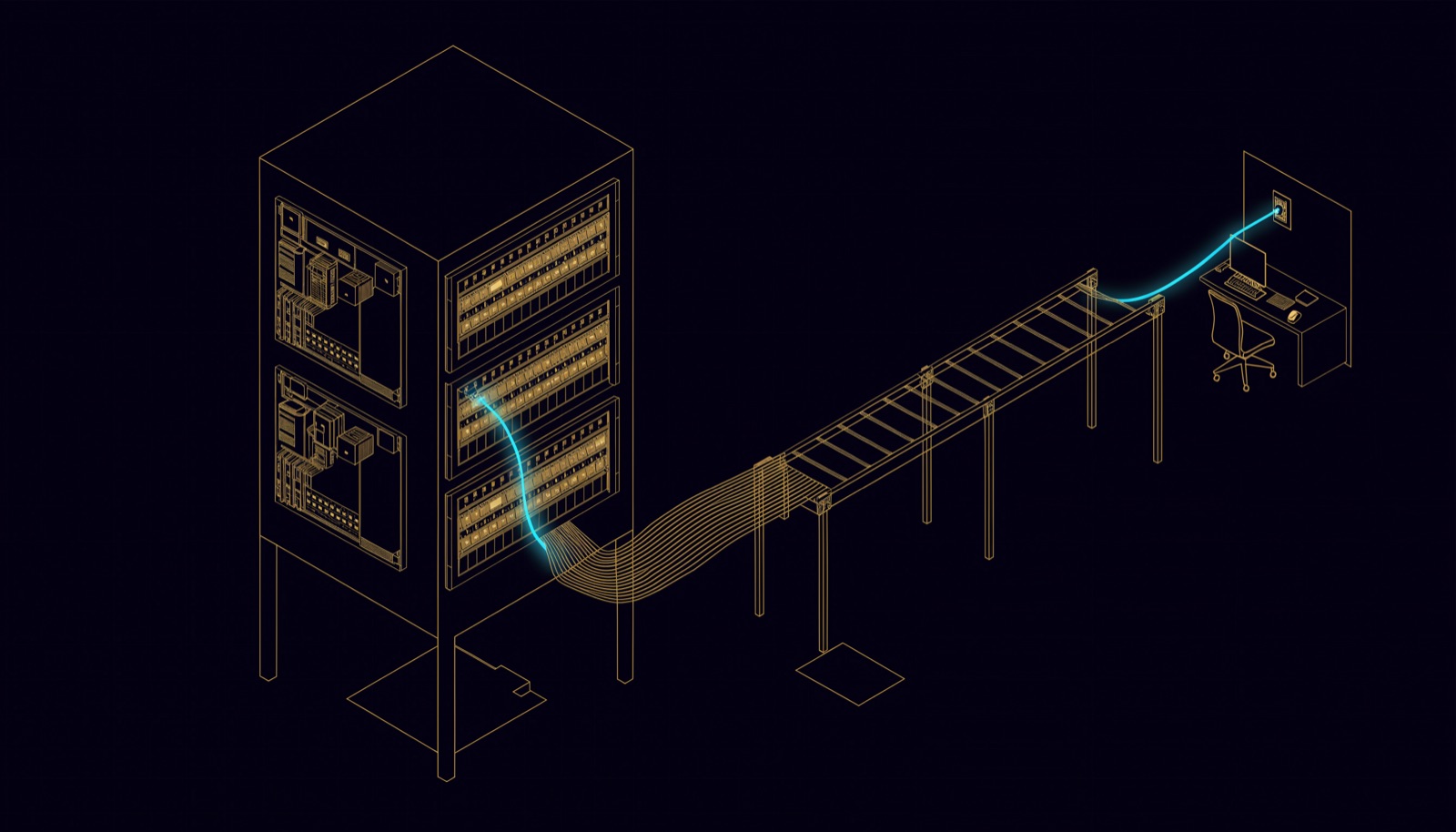
The 100 m channel: 90 m permanent link plus 10 m of cords
A copper channel runs up to 100 m from the switch port to the device, and no more than 90 m of it is the fixed cable between patch panel and outlet. ANSI/TIA-568.0-E calculates channel performance for the equivalent of 90 m of permanent link and 10 m of cords. The 10 m covers the cords at both ends together, not each end.
Fluke Networks, a tester manufacturer, defines the permanent link as "the fixed portion of the channel", and the channel as the whole connection between two active devices, cords included. Installers certify the permanent link because cords move, and its result can be compared with a retest years later.
| Part of the channel | From | To | Maximum length (metres) |
|---|---|---|---|
| Permanent link | Patch panel | Outlet | 90 |
| Cords, both ends together | Switch port; outlet | Patch panel; device | 10 in total |
| Channel | Switch port | Device | 100 |
- Measure along the route. The 90 m includes the drop down the wall and any service loop, not the straight line on a floor plan, so telecom rooms are placed to keep the longest route inside it with margin.
- Heat shortens the usable length. The UAE buildings manual requires cable lengths to be de-rated "where required due to local temperature conditions and cable specifications", so that channels stay error-free up to 1 Gbps on Cat6 and 10 Gbps on Cat6A.
- Cameras can skip the outlet. TIA standards now recognise a modular plug terminated link (MPTL), a cable ending in a plug that goes straight into a device that rarely moves, such as a camera (see when CCTV becomes a network problem).
Structured cabling standards: which ones apply
Two families cover the same ground: ANSI/TIA-568 and its companions from the Telecommunications Industry Association in the United States, and the international ISO/IEC 11801 series. A specification can cite either, or both; check which yours names, because test limits and labelling follow it.
| Standard | What it covers | Current edition (year) |
|---|---|---|
| ANSI/TIA-568.0-E | Generic cabling: topology, distances, installation, testing | 2020 |
| ANSI/TIA-568.1-E | Commercial buildings, including the six subsystems | 2020; Addendum 1 in 2023 |
| ANSI/TIA-568.2-E | Copper (balanced twisted-pair) cabling and components | 2024, replacing 568.2-D |
| ANSI/TIA-568.3-E | Optical fibre cabling and components | 2022 |
| ANSI/TIA-569-E | Pathways and spaces: rooms, risers, containment | 2019 |
| ANSI/TIA-606-D | Administration: identifiers, labels, records | 2021 |
| ANSI/TIA-607-E | Bonding and grounding (earthing) | 2024 |
| ISO/IEC 11801-1 | Generic cabling: general requirements | 2017; Amendment 1 in 2025 |
| ISO/IEC 11801-2 | Generic cabling for office premises | 2017 |
| ISO/IEC 14763-2 | Planning, installation, documentation, administration | 2019 |
Two of those dates change real specifications. Addendum 1 to TIA-568.1-E (March 2023) "adds a requirement for 2 category 6A cables for WAPs", so a specification citing the current TIA-568.1 calls for at least two Category 6A or higher cables to every wireless access point cabled with twisted pair (see campus wireless for the morning everyone arrives). And in 2017 ISO/IEC 11801-1 and 11801-2 cancelled and replaced ISO/IEC 11801:2002. Specifications copied from old projects still cite the 2002 edition or TIA/EIA-568-B; both are superseded.
Structured cabling in UAE buildings: the TDRA manual
The Telecommunications and Digital Government Regulatory Authority (TDRA) publishes the Buildings Telecommunications Network Specification Manual, which it calls "the unified national reference" for telecommunications infrastructure in all buildings and new developments. Version 3.0, developed with e& and du, was released in 2024; TDRA's press release of 30 May 2024 says it combines the requirements of the Dubai Building Code and the Abu Dhabi Quality and Conformity Council.
It covers the FTTx side of a new building: entry ducts, telecom rooms, pathways and the optical fibre network that the developer designs, installs and tests, then hands over to the operators. It says copper access networks are not considered. Cabling inside the subscriber's space is outside its scope, "although some minimum requirements for CAT6 cabling are provided." So a new building has two cabling systems: the FTTx fibre the developer builds to the manual for the operators, and the tenant's structured cabling, usually designed to TIA-568 or ISO/IEC 11801. They meet at the consolidation cabinet in each tenant space.
| TDRA manual term | How the manual defines it | Nearest TIA-568 subsystem |
|---|---|---|
| Building entry point (BEP) | Where external ducts physically enter the building | Entrance facility |
| Main telecom room (MTR) | Where operators' feeder cables terminate and connect to the building's inside plant | Entrance facility |
| Floor telecom room (FTR) | A room on each floor where vertical fibre changes to horizontal tenant cabling | Telecommunications room |
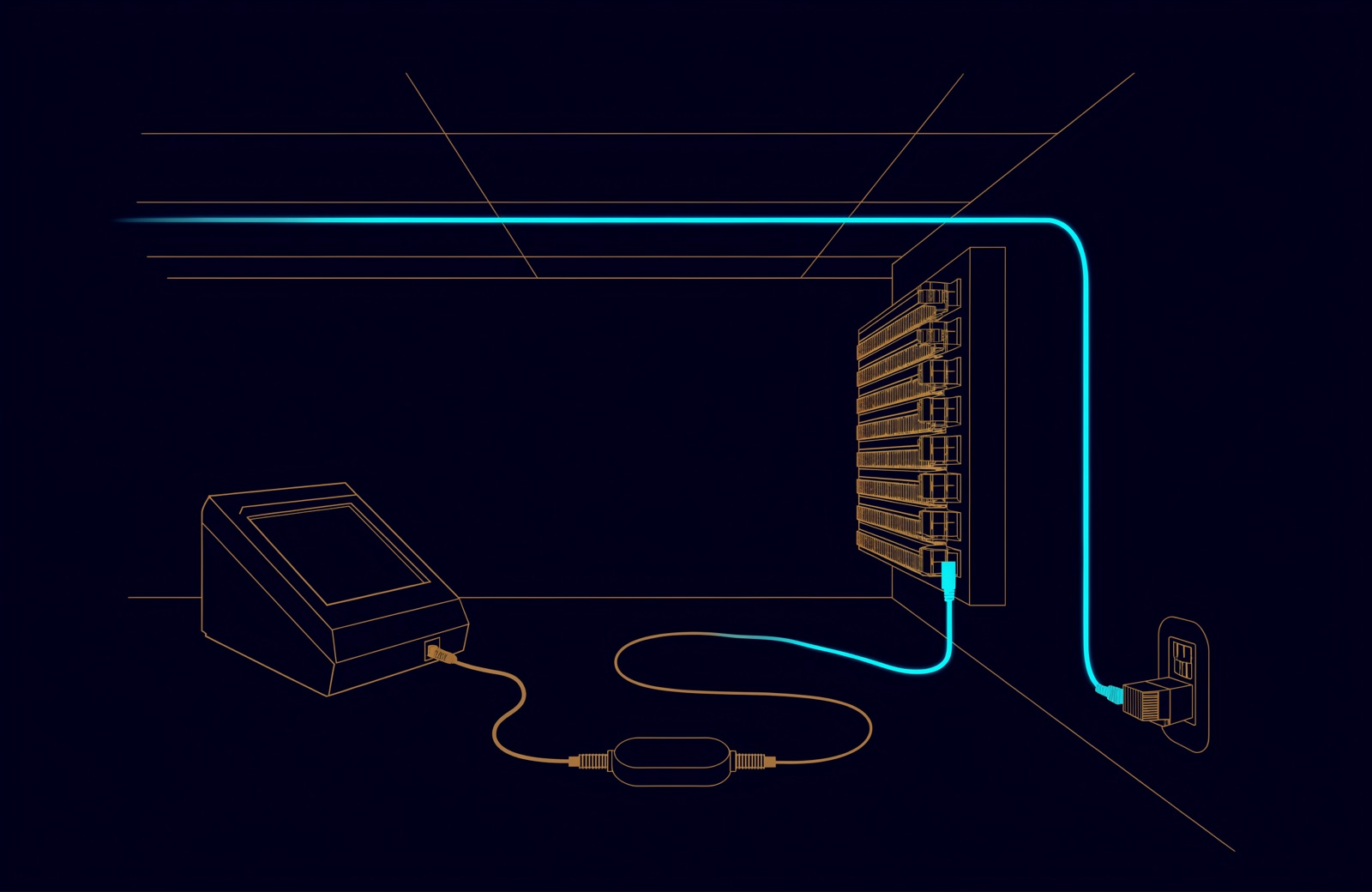
| Consolidation cabinet | A cabinet in each tenant space, configured to house at least two ONTs in parallel | Start of the tenant's cabling |
| Telecommunication outlet (TO) | Defined as the optical outlet where the tenant's indoor fibre ends and the ONT connects; the copper clause also calls the dual RJ45 outlets TOs | Work area outlet (for the copper TOs) |
The right-hand column is our mapping, not the manual's.
For the tenant's copper from the consolidation cabinet to the outlets, the manual leaves the design to the developer but sets minimums:
- at least the Category 6 requirements of ISO/IEC 11801-1, wired as a star from the cabinet;
- dual RJ45 outlets, each socket on its own cable, never cascaded or looped, plus spare outlets;
- a permanent link of no more than 90 m;
- terminations to the "TIA 568B pair scheme" at the cabinet;
- all components of one category (6 or 6A) and type (UTP or STP), from a single manufacturer;
- copper test results recorded and retained.
The manual's general labelling clause requires labels "in both English and Arabic" and administration to ISO/IEC 14763-1, a 1999 standard the IEC lists as withdrawn in 2012 and replaced by ISO/IEC 14763-2; its copper clause adds that each cable at the consolidation cabinet is labelled with the socket and outlet it serves. The developer takes the design through a No Objection Certificate (NOC) with the operators: drawing validation, materials from a pre-approved manufacturer list, site inspections and final testing. On completion, the operators issue the acceptance certificate the developer needs for the building's completion certificate.
How a structured cabling installation is designed
- Count what will connect: desks, phones, printers, displays, access points, cameras, door controllers and building systems.
- Place the rooms and pathways so every horizontal route stays within 90 m with margin (ANSI/TIA-569-E). In a new building, draw them on the same set as the MTR and FTRs.
- Choose media per subsystem: a copper category for horizontal, a fibre type and core count for backbone, judged on distance, PoE load and heat.
- Write the labelling scheme first, to ANSI/TIA-606-D or ISO/IEC 14763-2, so drawings, labels and test files match.
- Bond and earth to ANSI/TIA-607-E, tied into the building's electrical earthing.
- Install, certify every link and fibre, and hand over the results with the as-built drawings.
What the handover should prove
Three records show the job is finished: a certified test result for every link, labels that match at both ends and on the drawings, and as-built drawings with rack elevations. What each must contain is in the handover section of Cat 6A or fibre: what a UAE cabling design actually has to answer for.
How UBM handles it
UBM installs structured copper and fibre as part of its network and structured cabling work: Cat6 and Cat6A permanent links, OM4 and OS2 backbone, splicing and termination, rack elevations, containment, earthing and a labelling scheme that means the same thing at both ends. Work starts with a site survey, the risers and any existing port schedule. Cable is installed to the agreed drawings, certified link by link and labelled at both ends, and the test results are handed over with the as-built drawings, port schedules and rack layouts. Norden and Opterna are the cabling brands on our partners list; authorisation levels are confirmed in writing at quotation.
In a new building, the tenant's rooms and containment should be drawn alongside the MTR, FTRs and consolidation cabinets in the TDRA design, so the two systems meet where that design says they will. To have a design, specification or existing installation reviewed, talk to a UBM engineer.
Questions people ask
What is structured cabling in simple terms?
A building's network cabling designed as one standard system: every outlet wired back on its own cable to a telecom room, every telecom room back to an equipment room, all labelled and tested.
What are the six subsystems of structured cabling?
Entrance facility, equipment room, backbone cabling, telecommunications room, horizontal cabling and work area, as covered by ANSI/TIA-568.1-E.
What is the maximum length of a network cable run?
For copper, 100 m for the channel from switch to device, of which no more than 90 m is the permanent link; the other 10 m is cords. A single fixed cable run of 100 m is therefore over the 90 m limit for fixed cable. Heat can shorten the usable length, which is why the TDRA manual requires lengths to be de-rated where local temperature calls for it.
What is the difference between a permanent link and a channel?
The permanent link is the fixed cable from patch panel to outlet, up to 90 m. The channel is the whole connection between two active devices, cords included, up to 100 m.
Which structured cabling standard applies in the UAE?
Tenant cabling follows ANSI/TIA-568 or ISO/IEC 11801, whichever the specification names. In new buildings the FTTx network follows TDRA's buildings manual, which says commercial buildings are "designed in accordance with ISO/IEC 11801-1, ISO/IEC 11801-2 and ISO/IEC 11801-6" and sets the Category 6 requirements of ISO/IEC 11801-1 as the minimum for the copper from each consolidation cabinet.
Is Cat6 enough for a new office?
Cat6 is the TDRA minimum for tenant copper. Current TIA-568.1 calls for at least two Category 6A or higher cables to each wireless access point; whether the rest of the floor should be Cat6A depends on distance, PoE load and heat.
Sources
- ANSI/TIA-568.1-E, Commercial Building Telecommunications Cabling: summary (TIA Fiber Optics Technology Consortium, 2020)
- ANSI/TIA-568.0-E, Generic Telecommunications Cabling for Customer Premises: summary (TIA Fiber Optics Technology Consortium, 2020)
- TIA-568.1-E-1, Addendum 1: Balanced Single Twisted-pair Cabling; Cabling Requirements for Wireless Access Points (TIA, 2023)
- TIA publishes ANSI/TIA-568.2-E, Balanced Twisted-Pair Telecommunications Cabling and Components Standard (TIA, 2024)
- ANSI/TIA-568.3-E, Optical Fiber Cabling and Components Standard: summary (TIA Fiber Optics Technology Consortium, 2022)
- ANSI/TIA-569-E, Telecommunications Pathways and Spaces: summary (TIA Fiber Optics Technology Consortium, 2019)
- ANSI/TIA-606-D, Administration Standard for Telecommunications Infrastructure: summary (TIA Fiber Optics Technology Consortium, 2021)
- TIA publishes ANSI/TIA-607-E, Generic Telecommunications Bonding and Grounding (Earthing) for Customer Premises (TIA, 2024)
- ISO/IEC 11801-1:2017, Generic cabling for customer premises, Part 1: General requirements (IEC, 2017; Amendment 1, 2025)
- ISO/IEC 11801-2:2017, Generic cabling for customer premises, Part 2: Office premises (IEC, 2017), with its published preview of the foreword, introduction and definitions
- ISO/IEC 14763-1:1999, Implementation and operation of customer premises cabling, Part 1: Administration (IEC, 1999; withdrawn 2012)
- ISO/IEC 14763-2:2019, Implementation and operation of customer premises cabling, Part 2: Planning and installation (IEC, 2019)
- Telecommunications infrastructure guidelines: Telecommunications Networks Specifications Manual for Buildings (TDRA)
- Buildings Telecommunications Network Specification Manual: Guidelines for FTTx in new Buildings, V3.0 (TDRA, 2024)
- TDRA Releases Updated Building Telecommunications Network Box Specification Manual (TDRA, 30 May 2024)
- Channel, Permanent Link, Patch Cords, MPTL, E2E… Oh My! (Fluke Networks, 2019)
- Cabling Mistakes #1: Specify Channel Testing While Installing Permanent Links (Fluke Networks, 2016)
Comments
Questions and experience from readers. A person reads every comment before it appears.
No comments yet. If something here does not match what you have seen on site, say so.