
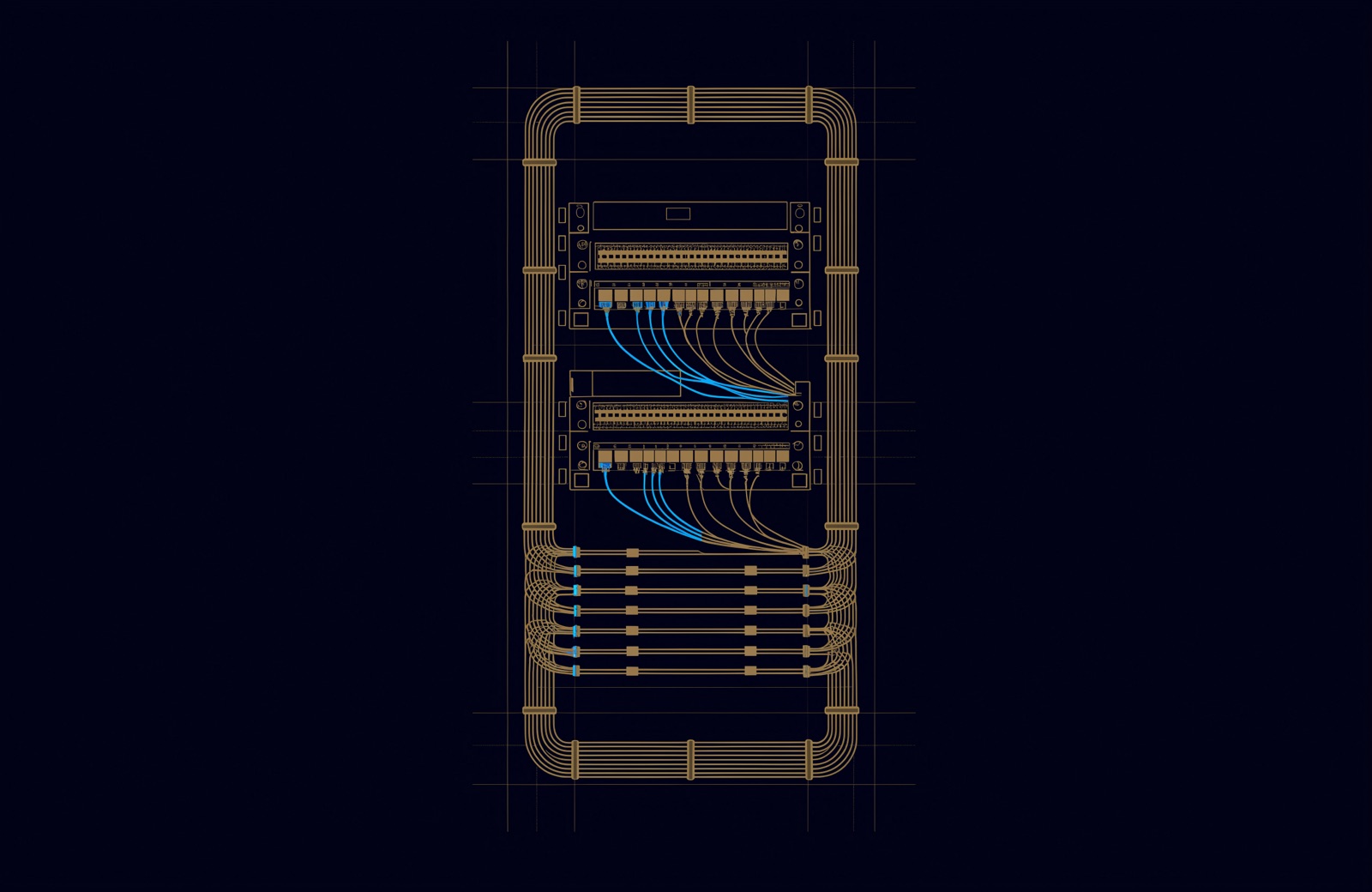
TIA-606 does not give patch cords a colour per role. In the editions we could check, it recommends colour coding cords and other components, but the colours it lists are for termination fields, such as orange for the demarcation point and blue for horizontal cabling. Which colour a data, CCTV or Wi-Fi cord gets is a site convention.
Three different things get called "network cable colour", and they are not equally standardised. The order of the eight wires inside an RJ45 plug is set by TIA-568 (T568A or T568B). The jacket colour of indoor fibre is set by TIA-598. The colour of a copper patch cord in the rack is chosen by the site. This guide separates the three, then shows how to write a rack legend that still works for the technician who cannot tell red from green. For the wider picture of how a building's cabling is organised, start with what structured cabling is and the standards behind it.
Network cable colour meaning: three things with one name
What a colour means depends on where it is. The table sorts the places colour appears on cabling by who sets it and how much choice you have.
| Where the colour is | Set by | Status | What it tells you |
|---|---|---|---|
| The eight wires inside a twisted-pair cable, and their order on the pins | ANSI/TIA-568 (T568A or T568B) | Required: one of the two, the same at both ends of a link | Which pair lands on which pin |
| The jacket of indoor fibre cable | ANSI/TIA-598 | Standard colours, or a printed legend instead | The fibre type, OM1 to OM5 or single-mode |
| Termination fields at cross-connects (labels, panels, backboards) | ANSI/TIA-606 | Recommended, not mandatory | What kind of cabling ends in that field |
| The jacket of a copper patch cord | The owner's cabling specification | Site convention | Whatever the site's legend says |
Is there a patch cord colour code standard?
Not in TIA-606, the standard people usually mean. ANSI/TIA-606 is the Administration Standard for Telecommunications Infrastructure: identifiers, labels, records and reports for cabling. Its colour table is organised by termination field, the group of panel ports or blocks where one kind of cabling ends, not by the device on the end of a cord. Brady's summary of 606-B says that edition recommended colour coding cables, connectors, cords, jumpers, termination fields, labels and pathways, but the colour list it gives is for termination fields only, so which colour a cord gets for which role is left to the site. Colour is a quick visual cue; the identifier on a permanent label is what ties a cable to its records.
The current edition is ANSI/TIA-606-D, published in October 2021. TIA's own summary lists "Color-Coding Identification" among its contents, next to permanent labels, records and an annex on identifying patch cords, equipment cords and direct equipment-to-equipment cables. The significant change it names from the previous edition is a new normative clause on remote powering. A revision, TIA-606-E, was out for recirculation ballot in June 2026. Earlier editions are superseded: according to the label maker Brady, 606-A was replaced by 606-B in 2012, and 606-B by 606-C in July 2017.
The colours below are the ones Brady published for the superseded editions, in its 606-A quick reference guide (2006) and its 606-B chart. We could not read the colour table in 606-D itself, so check it against the edition your specification cites.
| Colour | Termination field | What terminates there |
|---|---|---|
| Orange | Demarcation point | The service provider's connection |
| Green | Network connection | The customer side of that connection |
| Purple | Common equipment | Connections to PBX, LAN, mainframe and multiplexer equipment |
| White | First-level backbone | Backbone from the main cross-connect (MC) to intermediate cross-connects (ICs) |
| Grey | Second-level backbone | Backbone from ICs to horizontal cross-connects (HCs) |
| Brown | Interbuilding backbone | Backbone cable between buildings on a campus |
| Blue | Horizontal | Horizontal cable, at its telecom room end |
| Yellow | Other | Alarms, security or energy management |
| Red | Key system | Key telephone systems; in Brady's 606-A guide, not in its 606-B chart |
Two things follow from the table. First, it describes where cabling ends, not what a cord carries: there is no row for Wi-Fi or desk phones, and a networked camera is usually fed by horizontal cabling like any desk outlet (see when CCTV becomes a network problem). Second, Brady's 606-A guide notes that cross-connections generally connect termination fields of different colours. A cord running from a blue horizontal field to a purple equipment field cannot match both, so the field colour tells you which side of the cross-connect you are on, and the cord colour is a separate decision.
Summaries found online sometimes merge this table with fibre jacket colours, listing orange both for the demarcation point and for multimode fibre. They are two separate schemes, covered below.

Patch cord colours in the rack: a site convention
The colour of a copper patch cord is set by whoever writes the cabling specification, usually the owner or its consultant. Williamson County in Texas publishes a clear example: its 2024 cabling specification says its projects use colour-coded patch cords "to indicate various circuits", lists its own colours, and tells contractors to consult the project documentation for how colour coding is used on each job.
Colour does three jobs well. It shows at a glance which cords belong to which system, it makes a stray cord in a group stand out, and it tells a technician to slow down before unplugging something critical. It cannot identify a single link: two yellow cords look the same, and only the label says which camera each one feeds.
Labels carry the identity. Brady's summary of TIA-606-B says labels must be legible, permanent, placed at both ends of the cable, printed with the termination point identification and matched with the records. Its 606-A guide adds that labels are printed or generated by a mechanical device, not written by hand. In the UAE, TDRA's buildings telecommunications manual requires all labels on the installations it covers to be "in both English and Arabic" (clause 5.13). The same clause asks for the installation to be administered to ISO/IEC 14763-1, a standard the IEC lists as withdrawn in 2012 and replaced by ISO/IEC 14763-2, so a UAE labelling scheme should state which administration standard it follows.
There is a human reason not to rely on colour alone. About 1 in 12 men have colour vision deficiency, according to the US National Eye Institute, and the most common type makes it hard to tell red from green. A legend that depends on telling a red cord from a green one will fail for some of the people who work in the rack.
An example rack legend
The legend below illustrates the format. It is not a standard and not a scheme to copy unchanged. Where a role has an obvious TIA-606 counterpart (blue for horizontal, purple for common equipment, orange for the demarcation point), the example reuses that colour. White and grey are TIA-606 backbone field colours, so a site that also colour-codes its backbone termination fields should pick other cord colours for Wi-Fi and IP phones.
| Copper cord colour | Example role | Why, in this example |
|---|---|---|
| Blue | Desks, printers and other user outlets | Matches the blue horizontal field |
| Yellow | CCTV cameras and access control | Echoes yellow for security in the TIA-606 table |
| White | Wi-Fi access points | Easy to pick out in a dense panel |
| Grey | IP phones | A quiet colour for a large, stable group |
| Purple | Servers and shared equipment | Matches purple for common equipment |
| Orange | Service provider hand-off | Matches orange for the demarcation point |
| Black | Management and out-of-band ports | Marks ports that only administrators use |
Whatever colours you choose, a few rules keep a legend useful:
- Colour by role, not by VLAN or department. A camera stays a camera; VLANs and teams change.
- Never let red against green carry a meaning on its own. Pair colour with the label every time.
- Say "copper" in the legend. Fibre cords already carry TIA-598 colours (yellow for single-mode, aqua for OM3 and OM4), so "yellow: CCTV" should read "yellow copper cord: CCTV".
- Write it down once and post it twice: on the rack door and in the handover pack, in English and Arabic.
- Keep spare cords in every colour, or the first night-time fault will be patched with whatever is in the van.
- Label every cord at both ends, whatever its colour.
T568A and T568B: the colour order inside the plug
A twisted-pair cable carries four pairs, each a solid colour twisted with a white partner striped in the same colour: blue (pair 1), orange (pair 2), green (pair 3) and brown (pair 4). Which category of cable to run in a new office is covered in Cat6 vs Cat6A for a new office in the UAE. T568A and T568B are the two ways TIA-568 allows those eight wires to land on the eight pins of an RJ45 jack or plug. According to Fluke Networks, the only difference is that the orange and green pairs are interchanged; blue and brown stay on the same pins.
| Pin | T568A wire (pair) | T568B wire (pair) |
|---|---|---|
| 1 | White-green (3) | White-orange (2) |
| 2 | Green (3) | Orange (2) |
| 3 | White-orange (2) | White-green (3) |
| 4 | Blue (1) | Blue (1) |
| 5 | White-blue (1) | White-blue (1) |
| 6 | Orange (2) | Green (3) |
| 7 | White-brown (4) | White-brown (4) |
| 8 | Brown (4) | Brown (4) |
So the T568B colour order from pin 1 to pin 8 is white-orange, orange, white-green, blue, white-blue, green, white-brown, brown. For T568A, swap the orange and green wires: white-green, green, white-orange, blue, white-blue, orange, white-brown, brown. Fluke's diagrams show the jack from the front; the wiring at the back of a jack varies by manufacturer, so follow the colour labels printed on the jack itself.
Which one should you use?
Either, as long as it is one. Fluke Networks notes that both have the same transmission performance and support the same Ethernet protocols, including Gigabit Ethernet. It describes T568A as the preferred pattern in ANSI/TIA-568.2-D, an edition replaced by ANSI/TIA-568.2-E in 2024 (we could not check whether the wording changed), and says the US government requires it for federal contracts, while T568B matches the older AT&T 258A colour code and has been the more widely used scheme.
In new UAE buildings, TDRA's manual settles it for one part of the installation. Copper cables at each tenant's consolidation cabinet are terminated on an RJ45 patch panel, labelled with the socket and outlet served, and "Terminations shall be to the TIA 568B pair scheme" (V3.0, clause 5.10). In an existing building, match the scheme already installed; Williamson County's specification, for example, requires additions to legacy systems to match the existing pin-out.
Whichever scheme you use, TDRA's manual asks for each outlet to be terminated to the selected manufacturer's installation instructions, with the twists in each pair kept up to the termination.
What happens if the two ends differ?
A link wired T568A at one end and T568B at the other has pairs 2 and 3 crossed: it is a crossover. Fluke Networks explains that the generic cabling standards require both ends to be terminated using the same wiring code, which is why its DSX certification tester does not offer a crossover configuration under a TIA Category 6 permanent link limit. In fixed cabling, both ends match.
Crossover cords were once used to connect two switches directly. Switches with auto-MDIX no longer need them: Cisco's configuration guide for its Catalyst 9300 switches, for example, says auto-MDIX is enabled by default and detects whether a straight-through or crossover connection is needed, as long as the port speed is auto-negotiated. A mixed link that happens to work through auto-MDIX is still wrong in the permanent cabling.
Fibre patch cord colours: the part that is standardised
For fibre, colour does carry a defined meaning. ANSI/TIA-598 sets jacket colours for premises cable by fibre type, and connectors follow a matching scheme. The Fiber Optic Association summarises both:
| Fibre type | Jacket colour (TIA-598, indoor) | Connector colour |
|---|---|---|
| OM1 (62.5/125 µm multimode) | Orange | Beige |
| OM2 (50/125 µm multimode) | Orange | Black |
| OM3 and OM4 (laser-optimised 50/125 µm) | Aqua | Aqua |
| OM5 (wideband multimode) | Lime green | Lime green |
| Single-mode (OS1, OS1a, OS2) | Yellow | Blue; green for angle-polished (APC) |
Lime green for OM5 came last: TIA's fibre subcommittee approved Addendum 2 to TIA-598-D, "Jacket Color for OM5 Indoor Fiber Cables", at its January 2018 meeting, as CommScope reported. Inside the cable, individual fibres follow a twelve-colour sequence: blue, orange, green, brown, slate, white, red, black, yellow, violet, rose and aqua.
Even here the jacket is a hint, not proof. TIA-598 allows other colours where the print on the outer jacket identifies the fibre classification, and outdoor cable is generally black with its markings printed on it. Read the print before you patch, and note that orange appears in both the TIA-606 table and the TIA-598 table with different meanings. The fibre and copper choices behind a rack are covered in Cat 6A or fibre: what UAE cabling must answer for.
How UBM handles it
UBM installs structured copper and fibre as part of its network and structured cabling work, with a labelling scheme that means the same thing at both ends. Every link is certified, numbered and labelled at both ends, and the test results are handed over with the as-built drawings, port schedules and rack layouts. Because every link is certified, a link wired T568A at one end and T568B at the other is caught before handover rather than after it. When equipment is retired, the port schedule is corrected to match.
Where a site uses coloured patch cords, the legend belongs in that labelling scheme and in the handover pack, next to the port schedule, so the next technician can replace a cord like for like. The example legend in this article shows the format; it is not a scheme we ask anyone to adopt. To have a labelling scheme, a rack legend or an existing cabinet reviewed, talk to a UBM engineer.
Questions people ask
What is the colour order for a network cable?
For T568B, from pin 1 to pin 8: white-orange, orange, white-green, blue, white-blue, green, white-brown, brown. T568A swaps the orange and green wires: white-green, green, white-orange, blue, white-blue, orange, white-brown, brown.
Is T568A or T568B better?
Neither performs better; both support the same Ethernet protocols. Use one scheme at both ends of every link and across the site. Fluke Networks describes T568A as the preferred pattern in TIA-568.2-D, the edition before the current 568.2-E, and TDRA's buildings manual specifies T568B for tenant copper at the consolidation cabinet in new UAE buildings.
What do patch cable colours mean in a rack?
Whatever that site's legend says. TIA-606's colour table is organised by termination field, not by the system a cord serves, so blue for desks or yellow for CCTV is a local convention. Look for the legend on the rack door or in the handover pack, and trust the label over the colour.
Does TIA-606 require colour coding?
In the editions summarised here, colour coding is recommended as a visual aid rather than required. What carries a cable's identity is its label: printed by machine, placed at both ends and matched to the records.
What colour is single-mode fibre?
Yellow, for indoor premises cable under TIA-598. OM3 and OM4 multimode are aqua, OM5 is lime green, and OM1 and OM2 are orange. Outdoor cable is generally black, so read the print on the jacket.
What happens if one end is T568A and the other T568B?
The orange and green pairs are crossed, which makes a crossover. A switch with auto-MDIX may still connect, but the generic cabling standards require the same wiring code at both ends, so the link will not pass as a TIA permanent link.
Sources
- ANSI/TIA-606-D: Administration Standard for Telecommunications Infrastructure, summary (TIA Fiber Optics Technology Consortium, 2021)
- Cable Labeling Standards: ANSI/TIA-606-C, What's New? (Brady Worldwide, undated; covers 606-B, superseded, and 606-C, superseded by 606-D)
- ANSI/TIA/EIA-606-A Quick Reference Guide (Brady Worldwide, 2006; 606-A superseded)
- TIA Issues a Recirculation Ballot and Public Review Notification for TIA-606-E (TIA, 2026)
- Differences Between Wiring Codes T568A vs T568B (Fluke Networks knowledge base, dated 2014, text revised to cite ANSI/TIA-568.2-D)
- TIA Publishes New Standards: ANSI/TIA-568.2-E and ANSI/TIA-568.5-1 (TIA, 2024)
- Crossover Cable Testing, DSX CableAnalyzer (Fluke Networks knowledge base, 2016)
- Buildings Telecommunications Network Specification Manual: Guidelines for FTTx in new Buildings, V3.0 (TDRA, 2024)
- ISO/IEC 14763-1:1999, Implementation and operation of customer premises cabling, Part 1: Administration (IEC, 1999; withdrawn 2012)
- Interface and Hardware Components Configuration Guide, Cisco IOS XE 17.15.x (Catalyst 9300 Switches): Configuring Auto-MDIX (Cisco, 2024)
- Fiber Optic Cable Color Codes (The Fiber Optic Association, 2022)
- Call me a Limey: OM5 lime green approved for ANSI/TIA-598-D-2 (CommScope, 2018)
- Color Blindness (National Eye Institute, last updated 2025)
- Cabling Specification, Rev 2.00 (Williamson County, Texas, Department of Technology Services, 2024)

Comments
Questions and experience from readers. A person reads every comment before it appears.
No comments yet. If something here does not match what you have seen on site, say so.