
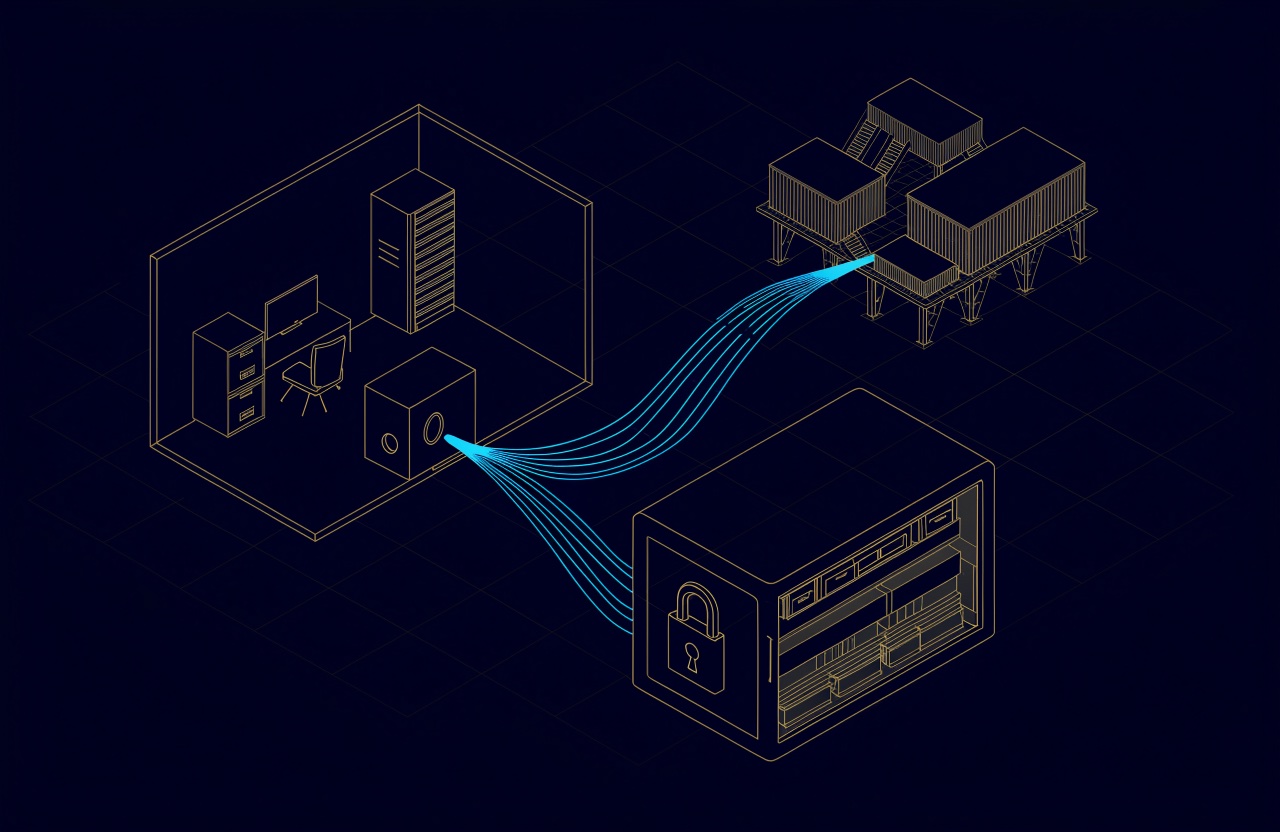
To restore after ransomware, keep three copies on two kinds of storage, with one copy at another site and at least one immutable or offline copy that stolen credentials cannot delete while it is locked or disconnected. Then prove it with scheduled test restores that finish with zero errors. That is the 3-2-1 backup rule, extended to 3-2-1-1-0.
Most businesses already have backups. After an attack, the question is whether any of them survived, and whether anyone has ever restored from them.
What is the 3-2-1 backup rule?
Keep three copies of any important file (the original and two backups), on two different media types, with one copy offsite. That wording comes from Data Backup Options, a 2012 paper produced for US-CERT, which cites photographer Peter Krogh's The DAM Book as its source.
Ransomware adds an intruder who signs in to the backup system with stolen credentials, so the rule has grown. Veeam's security best practice guide describes 3-2-1-1-0: at least three copies (production, primary backup and backup copy), on two different media, one copy offsite, at least one copy on immutable, air-gapped or offline media, and 0 errors when every backup's recoverability is verified automatically.
| Digit | The rule | What it protects against | A typical way to meet it |
|---|---|---|---|
| 3 | Three copies, counting production | One copy failing | Production, a local backup, an offsite copy |
| 2 | Two kinds of storage | One fault taking out every copy | Server storage, plus backup disks, object storage or tape |
| 1 | One copy at another site | Fire, flood or theft at the main site | Cloud object storage, a second office, tape kept elsewhere |
| 1 | One copy immutable or offline | An intruder deleting the backups | Veeam hardened repository, Object Lock, ejected tape |
| 0 | Zero errors in restore tests | Backups that do not restore | Scheduled test restores, Veeam SureBackup |
Why ransomware goes after the backups
Because a business that can restore does not need to pay. The #StopRansomware Guide from CISA, MS-ISAC, the NSA and the FBI (updated September 2023) warns that many ransomware variants attempt to find and then delete or encrypt accessible backups. It recommends offline, encrypted backups of critical data, with regular tests of their availability and integrity.
"Accessible" covers more than people expect: a NAS share mapped as a drive on a server, a backup console that signs in with the same administrator account as everything else, a USB disk that stays plugged in. An immutable copy refuses to change or delete a backup until its lock period ends, even when the request comes from the backup software with full rights. An offline copy has no network path at all.
Immutable backup options: what locks the copy
An immutable backup cannot be modified or deleted for a set period. The common options differ in where the lock lives and whether the copy also counts as offsite.
| Option | Where the lock lives | Lock period | Offsite? | Points to check |
|---|---|---|---|---|
| Veeam hardened repository | A Linux server with local or block storage | 7 to 9,999 days | Usually on site | No SMB or NFS shares; single-use credentials or certificate-based authentication |
| Object storage with Object Lock | An S3-compatible bucket or Azure Blob container | 1 to 999 days | Yes, if the bucket is elsewhere | Object Lock set before Veeam uses the bucket |
| NAS immutable snapshots | The NAS (Synology DSM 7.2 and later, QNAP QuTS hero) | Up to 30 days on Synology snapshots, set per task | Only if replicated to another site | Supported models only |
| Tape | No lock: the cartridge is ejected | While it stays off the network | Yes, if stored elsewhere | A drive that can still read it |
Veeam hardened repository
Veeam introduced the hardened Linux repository in Veeam Backup & Replication v11, released in February 2021 (Veeam, 2021). Backup files on it cannot be moved, modified or deleted during the immutability period, which runs from 7 to 9,999 days (How Immutability Works). Single-use credentials are not stored, so a compromised backup server does not hand the attacker a way into the repository (Hardened Repository).
It needs block storage, not an NFS or SMB share, and Veeam recommends a physical machine with local disks. Jobs must use forward incremental backups with periodic full backups, because a locked file cannot be merged (Requirements and Limitations).
Object storage with Object Lock
For the offsite copy, Veeam can write to Amazon S3, S3-compatible storage, Azure Blob and others, immutable for 1 to 999 days; on Amazon S3 it uses compliance mode for every object, and Object Lock settings must not change once the bucket is in use (Veeam). The bucket can also sit on a NAS at a second office: in May 2024 QNAP announced that QuObjects, its S3-compatible storage for QTS and QuTS hero, had qualified as Veeam Ready Object with Immutability (QNAP, 2024).
Immutable snapshots on Synology and QNAP NAS
Synology added immutable snapshots in DSM 7.2 (May 2023, no extra licence), as a defence against compromised administrator credentials on supported models (Synology, 2023; DSM 7.2). DSM 7.2.2 (August 2024) addressed a potential risk that allowed snapshots to be unlocked (Synology, 2024), a good reason to keep firmware current. Snapshots sit on the same volume as the data, so Synology can also replicate them to a partner NAS as immutable copies (WriteOnce white paper), and the same paper caps snapshot immutability at 30 days. QNAP lists immutable snapshots and WORM folders for its QuTS hero series (QNAP).
If Veeam writes to an SMB share on the NAS, immutable snapshots of that share give you a locked version to roll back to, but in the same box.
A lock has a cost too
A locked copy is built so that it cannot be deleted early, even for a legitimate deletion request. The CISA guide says to use immutable storage with caution, as it does not meet the compliance criteria of certain regulations. Set lock periods with your retention policy; Veeam also advises against locking object storage for longer than the job's retention, because it adds charges.
Veeam backup for a small business: a reference design
For a UAE office with a few servers or a small virtualisation cluster, 3-2-1-1-0 usually means four pieces:
- Veeam Backup & Replication on its own server, with administrator accounts used for nothing else and multi-factor sign-in.
- A fast local copy: a hardened repository on a physical Linux server, or a Synology or QNAP NAS. Veeam Backup & Replication 13 can lock backups on an SMB or NFS share only when the share sits on WORM-capable storage that supports its file-level retention model (Veeam: SMB, NFS); without that, the share is not immutable from Veeam's side, so turn on the NAS's immutable snapshots where supported and keep its credentials off the domain.
- An offsite copy from a Veeam backup copy job: object storage with Object Lock, or ejected tape. For a cloud region, location can matter for some data; see UAE data residency requirements.
- A restore test on a schedule, with every result recorded.
Keep the local copy out of the production rack, ideally out of the room; our guide to the ELV room, IT room and server room covers what each space needs. Veeam's free Community Edition is limited to 10 workloads, and support or larger estates need a paid edition (Veeam, October 2026).
Proxmox VE and Microsoft 365 need their own plan
Proxmox VE
Veeam added Proxmox VE support in Veeam Backup & Replication 12.2, available from 28 August 2024 (release notes), with immutable backups and all repository types (Veeam on the Proxmox developer list). The current Veeam Plug-in for Proxmox VE supports Proxmox VE 8.2 to 9.2 (system requirements). Proxmox's own Proxmox Backup Server is open source (AGPL v3), with deduplicated incremental backups, client-side AES-256-GCM encryption, sync to a remote site and tape support.
Microsoft 365
Microsoft 365 keeps deleted items for a limited time, which is not a separate copy. SharePoint keeps deleted items for 93 days (Microsoft Support), and Exchange Online keeps items deleted from Deleted Items for 14 days by default, up to 30 (Microsoft Learn). For a real backup there are two common routes:
| Point | Microsoft 365 Backup | Veeam Backup for Microsoft 365 |
|---|---|---|
| Covers | SharePoint, OneDrive, Exchange | Exchange, SharePoint, OneDrive, Teams |
| Where the copy lives | Inside the Microsoft 365 data boundary | A repository you choose: disk or object storage |
| Protection against change | Append-only; deleting means offboarding, with a 90-day grace period | Immutable object storage, compliance mode by default |
| Recovery window | 3 months, 6 months, 1 year or 2 years | Your retention policy |
| Cost model | US$0.15 per GB per month (September 2026) | A Veeam licence plus your storage |
Sources: Microsoft Learn; Veeam's overview and immutability pages. The choice comes down to how far from the protected platform you want the copy to sit.
The zero: test restores, RPO and RTO
NIST defines the recovery point objective (RPO) as the point in time to which data must be recovered after an outage, and the recovery time objective (RTO) as how long a system can stay in recovery before the outage harms the organisation (NIST SP 800-34 Rev. 1). The backup schedule decides whether the RPO can be met; only a timed restore shows whether the RTO can be met.
Veeam's SureBackup automates the test for VMware vSphere, Microsoft Hyper-V and Veeam Agent backups: it starts machines from the backup in an isolated virtual lab, runs heartbeat, ping and application tests, can scan for malware and validate the files, and emails a report (How SureBackup Works). For Proxmox VE backups, Veeam's guide describes SureBackup in its backup verification and content scan mode, which checks integrity and scans for malware without starting the VMs (Veeam: Verifying Backups, Using SureBackup); there and on other platforms, a manual restore into an isolated network is the recoverability test. Two numbers make the test meaningful:
- The lock window. Intruders are not always found the day they get in, so the last clean restore point must still be locked. Veeam's guide recommends immutability of at least one to two weeks for short-term retention and at least four weeks for long-term retention.
- The restore time. Time a full restore of your most important system from the offsite copy. Compare that time with your RTO.
In the drawing, an intruder gets in on day 6 and encryption starts on day 14. Points from day 6 may hold the intruder, so the restore starts from day 5, the last clean point: nine days of work are lost, although a daily schedule suggests a one-day RPO. A 14-day lock window (an example) still covers day 5; a 7-day window would not.
In the UAE, Article 20 of the personal data law, Federal Decree-Law No. 45 of 2021, requires controllers and processors to take security measures suited to the risk, and lists among them measures that ensure timely retrieval of and access to personal data after an actual or technical failure, and measures that ensure the effectiveness of the technical and regulatory measures for the security of processing is tested and evaluated. The law has been in force since 2 January 2022, and Article 29 gives controllers and processors no more than six months from the issue of its executive regulations to comply, a period the Council of Ministers may extend once by the same length. Article 2 excludes some cases, such as government data and free zone companies with their own data protection law.
How UBM handles it
UBM supplies and supports Veeam, Proxmox and Microsoft 365, and Synology and QNAP storage. On a backup project we start from what has to be restored and how fast, then size the local and offsite copies, lock periods and retention to that policy, not to the size of the disk. A backup counts as working when a restore from it has worked. Under a maintenance or managed service agreement, backup jobs are monitored and a restore is actually performed on a schedule. The detail is on our software and continuity, servers and storage and service lifecycle pages. To have your backups checked against 3-2-1-1-0, talk to a UBM engineer.
Questions people ask
What is the 3-2-1 backup rule?
Three copies of important data, on two different media types, with one copy offsite. The 3-2-1-1-0 version adds one immutable, air-gapped or offline copy, and zero errors when backups are tested by restoring them.
What is an immutable backup?
A backup the storage refuses to change or delete until a lock period ends. In Veeam, the common options are a hardened Linux repository (7 to 9,999 days) and object storage with Object Lock (1 to 999 days); some deduplicating appliances and WORM-capable SMB or NFS storage can also hold immutable backups.
Is a NAS enough for backups?
A NAS makes a good fast local copy, but on its own it is one copy in one place. Add immutable snapshots where the model supports them, and an offsite copy that a stolen NAS password cannot reach.
Does Microsoft back up Microsoft 365 for me?
Deleted items are kept for a limited time: 93 days in SharePoint, and 14 days by default (up to 30) in Exchange Online. A backup with its own retention is a separate product, Microsoft 365 Backup or a third-party tool such as Veeam.
Does Veeam back up Proxmox VE?
Yes, since Veeam Backup & Replication 12.2 (August 2024). The current plug-in supports Proxmox VE 8.2 to 9.2. Proxmox Backup Server is an open-source alternative.
Sources
- Data Backup Options (Carnegie Mellon University for US-CERT, 2012)
- #StopRansomware Guide (CISA, MS-ISAC, NSA and FBI, September 2023)
- Veeam Backup & Replication Security Best Practice Guide: Protect (Veeam, accessed October 2026)
- V11: Immutable primary backup storage with a hardware-agnostic touch (Veeam, February 2021)
- Hardened Repository, How Immutability Works and Requirements and Limitations (Veeam Backup & Replication 13 User Guide, accessed October 2026)
- Immutability for Object Storage Repositories: Considerations and Limitations (Veeam Backup & Replication 13 User Guide, accessed October 2026)
- Immutability for SMB Backup Repositories, Immutability for NFS Backup Repositories and Immutability for Backup Files (Veeam Backup & Replication 13 User Guide, accessed October 2026)
- How SureBackup Works (Veeam Backup & Replication 13 User Guide, accessed October 2026)
- Veeam Backup & Replication 12.2 Release Notes (Veeam, 2024)
- Veeam release and AMA, pve-devel mailing list (Veeam, September 2024)
- Veeam Plug-in for Proxmox VE: System Requirements (Veeam, September 2026)
- Veeam Plug-in for Proxmox VE: Verifying Backups and Using SureBackup (Veeam Backup & Replication 13 User Guide, accessed October 2026)
- Veeam Backup & Replication Community Edition (Veeam, accessed October 2026)
- About Veeam Backup for Microsoft 365 and Immutability (Veeam Backup for Microsoft 365 User Guide, build 8.6, 2026)
- Synology raises the bar with DSM 7.2: immutable storage, full-volume encryption, and more (Synology, May 2023) and the DSM 7.2 overview (Synology, accessed October 2026)
- Synology releases DSM 7.2.2 (Synology, August 2024)
- WriteOnce (WORM) White Paper (Synology, last updated March 2025)
- Immutable storage solutions (QNAP, accessed October 2026)
- QuObjects certified as Veeam Ready Object with Immutability (QNAP, May 2024)
- Proxmox Backup Server documentation: Introduction (Proxmox Server Solutions, accessed October 2026)
- Overview of Microsoft 365 Backup (Microsoft Learn, updated September 2026)
- Recoverable Items folder in Exchange Online (Microsoft Learn, updated July 2026)
- Restore items in the Recycle Bin of a SharePoint site (Microsoft Support, accessed October 2026)
- NIST SP 800-34 Rev. 1, Contingency Planning Guide for Federal Information Systems (NIST, May 2010, updated November 2010)
- Federal Decree-Law No. 45 of 2021 on the Protection of Personal Data (UAE, 2021)
Comments
Questions and experience from readers. A person reads every comment before it appears.
No comments yet. If something here does not match what you have seen on site, say so.